
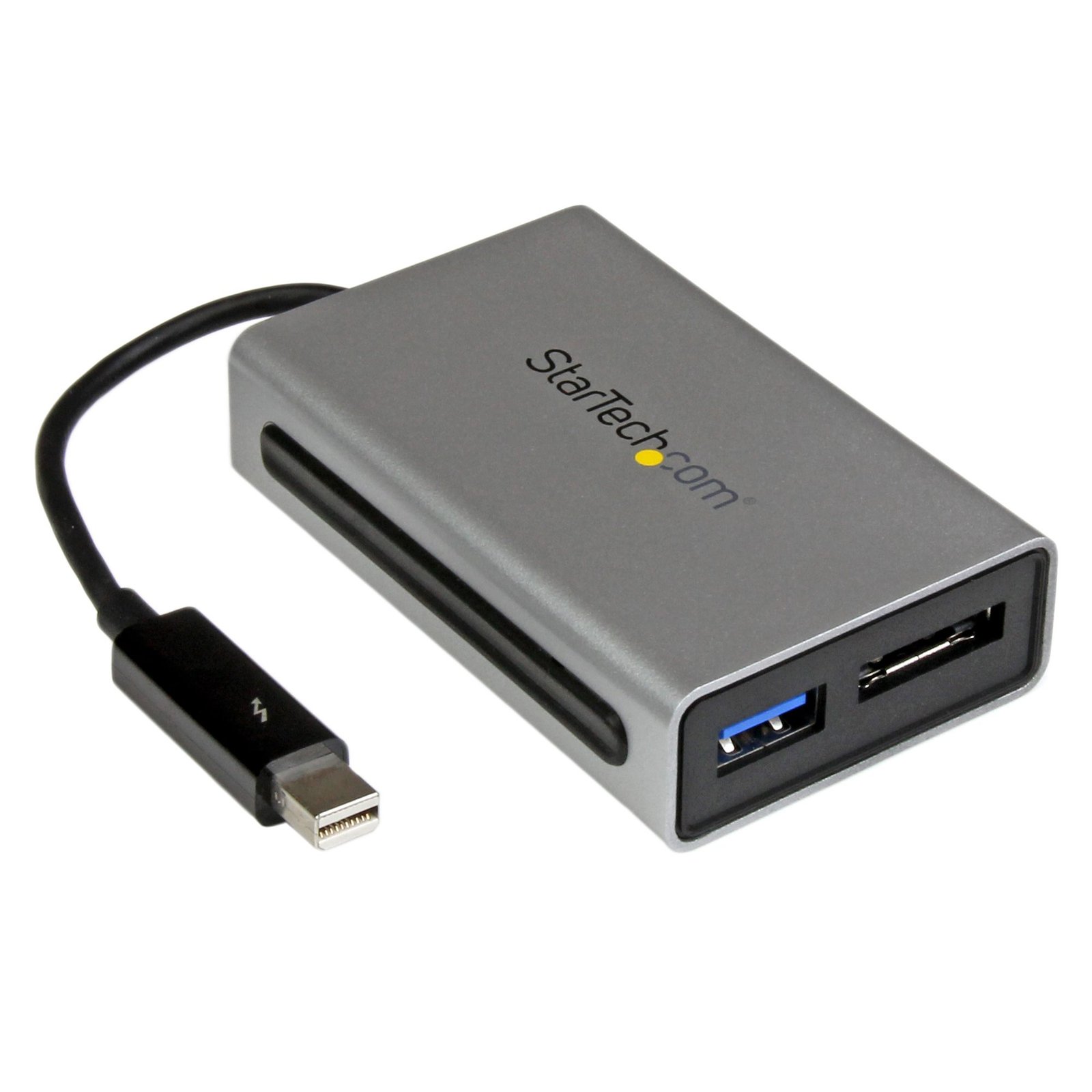
Thunderbolt to eSATA plus USB 3.0 Adapter - Thunderbolt Adapter
$107.99
Add an eSATA port and a USB 3.0 hub port to your Thunderbolt™-equipped MacBook® or laptop
Specifications & Compliance
- UPC
- 065030859387
- Brand
- StarTech.com
- Included in Package
- 1 - Thunderbolt Adapter, 1 - Instruction Manual
- Shipping (Package) Weight
- 5.7 oz [161 g]
- Weight of Product
- 2.6 oz [73 g]
- Product Length
- 3.1 in [78 mm]
- Product Width
- 1.9 in [48.5 mm]
- Product Height
- 0.8 in [20.5 mm]
- Package Depth
- 5.5 in [14 cm]
- Package Width
- 6.9 in [17.5 cm]
- Package Height
- 1.3 in [32 mm]
- Color
- Silver
- Cable Length
- 5.1 in [13 cm]
- Warranty
- 2 Years
- Connector 1
- Mini DisplayPort (Thunderbolt 10Gbps)
- Connector 1 (Quantity)
- 1
- Package Quantity
- 1
- Connector 2
- eSATA (7-Pin)
- Connector 2 (Quantity)
- 1
- Operating Temperature
- -10°C to 55°C (14°F to 131°F)
- Storage Temperature
- -20°C to 85°C (-4°F to 185°F)
- Material
- Plastic
- Maximum Data Transfer Rate
- 10 Gbps (Thunderbolt)<br /> 5 Gbps (eSATA)<br /> 5 Gbps (USB 3.0)
- Chipset ID
- Intel - DSL2210 <br>ASMedia - ASM1061 <br>ASMedia - ASM1042A
- Connector 3
- USB-A (5Gbps, 4.5W)
- Connector 3 (Quantity)
- 1
- Number of Ports
- 2
- Interface
- eSATA, USB 3.2 Gen 1 (5Gbps)
- Bus Type
- Thunderbolt
- Type and Rate
- Thunderbolt - 10 Gbit/s
- UASP Support
- Yes
- SATA Type and Rate
- SATA III (6 Gbps)
- RAID
- No
- Port Multiplier
- Yes
Questions & Answers
Why are my drives not detected during Windows installation, and how do I make them available?
If the storage drives are not visible during Windows installation, you may need to load the RAID or storage controller driver before the installer can detect the drives. Explanation: During Windows Setup, storage drives connected to certain RAID or storage controllers may not appear automatically because the required controller driver is not included with the Windows installation media. If you reach the "Where do you want to install Windows?" screen and no drives are listed: Select Load Driver. Connect a USB flash drive or insert media containing the storage controller or RAID driver. Browse to the driver location and load the driver that matches the operating system being installed. Once the driver is loaded, Windows Setup should detect the connected storage drives and make them available for installation. Without the appropriate controller driver, Windows Setup may not be able to detect drives connected through RAID or specialized storage controllers.
I want to move the hard drive with my operating system installed to my StarTech.com hard drive controller. What do I do?
In order to use a hard drive plugged into a hard drive controller card as your operating system, you need to install the operating system onto the hard drive while it is plugged into the expansion card. To do this, complete the following: Note: Not all hard drive controller cards have drivers that allow you to install the operating system onto the hard drive. All of the hard drive controllers that display this FAQ include this capability. Before you begin, consult the documentation that came with the motherboard to make sure that the motherboard or BIOS supports booting from an expansion card. Back up any data on the hard drive. Make a copy of the drivers from the website onto a floppy disc, CD, DVD, or USB flash drive. The drivers that you download depends on the operating system that you want to install. Install the hard drive controller card onto your motherboard. Plug the hard drive into the controller card. Turn on your computer and open the operating system install wizard. Before you select the hard drive that you want to install the operating system onto, select the option to install third-party drivers. Point the driver installer to the floppy disc, CD, DVD, or USB flash drive. Install the drivers. Select the hard drive on the hard drive controller card as the location where you want to install the operating system. Complete the on-screen instructions to finish installing the operating system.
Is this SATA controller card compatible with Serial Attached SCSI (SAS) drives?
No, this SATA controller card is not compatible with SAS drives. Explanation: Serial Attached SCSI (SAS) drives require a controller that supports the SAS command set. SATA controllers only support the SATA command set and cannot process SAS commands. Although a SAS drive may be physically connected to a SATA controller using an adapter, the SATA controller cannot communicate with the SAS drive. As a result, SAS drive compatibility is not supported on this SATA controller card.
Is this device compatible with optical drives such as CD-ROM, DVD-ROM, or Blu-ray drives?
No, this device is not compatible with optical drives. Explanation: Optical drive compatibility requires support for the ATA Packet Interface (ATAPI) protocol. CD-ROM, DVD-ROM, and Blu-ray drives all rely on ATAPI for communication. This device does not support the ATAPI protocol and therefore cannot communicate with optical drives. As a result, optical drives are not supported over IDE, SATA, or eSATA connections on this device. For a list of products that support ATAPI and optical drive compatibility, refer to: https://www.startech.com/en-us/faq/hard-drive-controllers-atapi-support .
Related products
-
External Thunderbolt 3 to USB Controller - 3 Dedicated USB Host Chips - 1 Each for 5Gbps USB-A Ports, 1 Shared Between 10Gbps USB-C & USB-A Ports - TB3 Daisy Chain - Self Power
$169.99 Add to cart -
Thunderbolt 3 to eSATA Adapter + USB 3.1 (10Gbps) Port - Mac / Windows
$79.99 Add to cart -
Thunderbolt 3 to Thunderbolt 2 Adapter - TB3 Laptop to TB2 Displays & Devices - Thunderbolt 2 20Gbps or Thunderbolt 1 10Gbps Converter - Thunderbolt 3 Certified- Windows/Mac
$35.99 Add to cart -
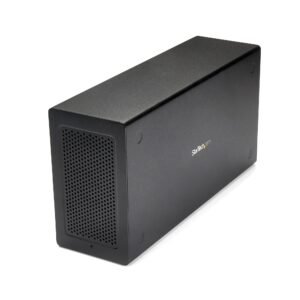
Thunderbolt 3 PCIe Expansion Chassis, External Enclosure with One PCI Express Slot, PCIe Box for Laptops/Desktops/All-In-Ones, 5K/4K Output Via TB3/DP Ports, TAA Compliant
$327.99 Add to cart