
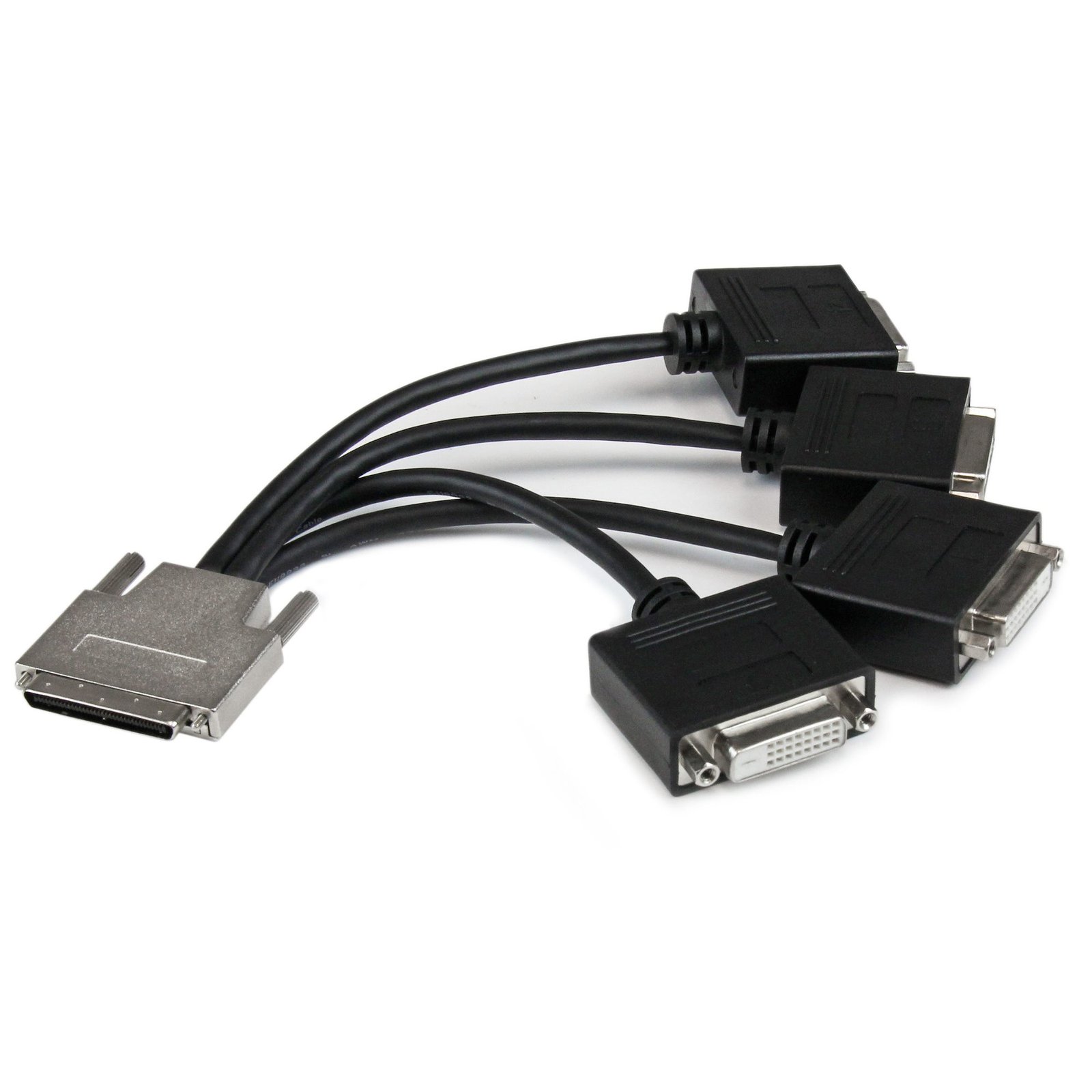
VHDCI to Quad DVI Splitter Breakout Cable - VHDCI (M) to 4x DVI-D (F)
$80.99
Connect 4 DVI-D displays to your VHDCI video card
Specifications & Compliance
- UPC
- 065030853675
- Brand
- StarTech.com
- Included in Package
- 1 - VHDCI Male to 4x Female DVI-D Cable
- Shipping (Package) Weight
- 7.4 oz [210 g]
- Weight of Product
- 7.1 oz [202.0 g]
- Product Length
- 8.7 in [22.0 cm]
- Product Width
- 1.6 in [40.0 mm]
- Product Height
- 0.6 in [15.0 mm]
- Package Depth
- 5.7 in [14.5 cm]
- Package Width
- 11.4 in [29 cm]
- Package Height
- 2.3 in [58 mm]
- Color
- Black
- Cable Length
- 8.7 in [22 cm]
- Warranty
- Lifetime
- Connector 1
- VHDCI (68-Pin, SCSI)
- Connector 1 (Quantity)
- 1
- Package Quantity
- 1
- Connector 2
- DVI-D Dual-Link (25-Pin)
- Connector 2 (Quantity)
- 4
- Cable Jacket Material
- PVC - Polyvinyl Chloride
- Wire Gauge
- 30 AWG
- Connector Plating
- Nickel
- Cable Shield Material
- Aluminum-Mylar Foil with Braid
- Connector Style
- Straight
Questions & Answers
When should I use a longer video cable instead of a video extender?
Use a longer video cable whenever possible; use a video extender only when the required distance exceeds the reliable limits of standard or active cables. Explanation: Direct cabling is the preferred method for video connections because it maintains signal integrity and reduces complexity. Standard maximum cable lengths for common video signals are: Video standard Maximum length DisplayPort 50 ft. (15.2m) HDMI 50 ft. (15.2m) DVI 50 ft. (15.2m) VGA 200 ft. (71m) Active cables can extend these distances by incorporating built-in signal amplification and are designed to exceed standard length limits while maintaining specified performance. Video extenders are used when cable length requirements exceed what passive or active cables can reliably support. Extenders transmit the signal over longer distances by boosting and then restoring it, while maintaining the same video standard from input to output.
How can I identify which DVI connector type I have or need?
You can identify the DVI connector type by the pin configuration and determine compatibility based on whether the connection supports analog, digital, or both signal types. Explanation: DVI (Digital Visual Interface) connectors are defined by their pin layout and supported signal type. The main DVI connector types are: DVI-A (17 pin) . Analog signal only DVI-D Single Link (19 pin) . Digital signal only DVI-D Dual Link (25 pin) . Digital signal only, higher bandwidth DVI-I Single Link (23 pin) . Supports both analog and digital signals DVI-I Dual Link (29 pin) . Supports both analog and digital signals, higher bandwidth DVI-A is used for analog signals (similar to VGA), while DVI-D is used for digital signals (similar to HDMI). DVI-I connectors can carry both analog and digital signals, but actual support depends on the device’s specifications. Single Link and Dual Link indicate bandwidth capacity, which affects maximum supported resolution. Typical limits are up to 1920 × 1080 @ 60 Hz for Single Link and up to 2560 × 1600 @ 60 Hz for Dual Link. However, actual resolution support depends on the capabilities of the connected devices, not just the connector type. To ensure compatibility, verify both the connector type and the signal support in the specifications of the source and display devices.


