


PCI Express to 4 Slot PCI Expansion System - TAA
$578.99
Add four external PCI expansion card slots to a desktop computer
Specifications & Compliance
- UPC
- 065030825184
- Brand
- StarTech.com
- Included in Package
- 1 - PCI Expansion box, 1 - PCI Express Card, 1 - 3ft DVI Cable, 1 - Low Profile Bracket, 1 - Screw Kit, 1 - Power Cable, 1 - Universal Power Adapter (NA/EU/UK)
- Shipping (Package) Weight
- 5.7 lb [2.6 kg]
- Weight of Product
- 3.3 lb [1.5 kg]
- Product Length
- 8.0 in [20.4 cm]
- Product Width
- 5.4 in [13.7 cm]
- Product Height
- 5.6 in [14.2 cm]
- Package Depth
- 7.9 in [20 cm]
- Package Width
- 9.8 in [25 cm]
- Package Height
- 9.4 in [24 cm]
- Color
- Black
- Warranty
- 2 Years
- Connector 1
- PCI Express x1
- Connector 1 (Quantity)
- 1
- Package Quantity
- 1
- Connector 2
- PCI / PCI-X
- Connector 2 (Quantity)
- 4
- Operating Temperature
- 0°C ~ 55°C
- Storage Temperature
- -40°C ~ 75°C
- Material
- Aluminum and Steel
- Power Source
- AC Adapter Included
- Special Notes
- - Supports 32-bit PCI cards less than 6.7” in length; 64-bit PCI 12.28” cards (full-length) are not supported, - The chassis provides up to 5V @ 3A, 3.3V @ 4.5A, or a combined total of 15 Watts, - This product has a known compatibility issue with Silicon Image SATA Controllers on an AMD platform
- Input Voltage
- 100 - 240 AC
- Output Voltage
- 12V DC
- Power Consumption
- 36
- MTBF
- 143,947 Hours
- Interface
- PCI Express
- Bus Type
- PCI Express
- Output Current
- 3
- Plug Type
- M
- Internal Depth
- 6.7 in [17.0 cm]
Questions & Answers
How do I confirm that Windows detects my expansion card?
To confirm that Windows detects your expansion card, complete the following: Press the Windows key+ R , type devmgmt.msc , and press Enter . In Device Manager , under the appropriate heading, confirm that your expansion card is listed and that there isn't an exclamation mark next to it. For example, a USB controller card would be under Universal Serial Bus controllers . Your expansion card is listed according to the name of the chipset. To determine the name of the chipset of your expansion card, navigate to www.StarTech.com and look on the Technical Specifications tab for your product.
How do I confirm that my expansion card is detected by the Mac OS?
To confirm that the Mac OS detects your expansion card, complete the following: Click the Apple icon. Click About This Mac . Click More Info or System Report . Under the appropriate heading, confirm that your expansion card is listed and that there isn't an error. For example, a network card would be under Ethernet Cards . Your expansion card is listed according to the name of the chipset. To determine the name of the chipset of your expansion card, navigate to www.StarTech.com and look on the Technical Specifications tab for your product.
Can each PCI slot in this PCIe-to-PCI expansion enclosure deliver full PCI bandwidth or full PCI slot speed?
No, each PCI slot in this PCIe-to-PCI expansion enclosure cannot deliver full PCI bandwidth because the total PCIe bandwidth is shared equally across all PCI slots. Explanation: Standard PCI supports maximum bandwidths of 266 MBps at 66 MHz or 133 MBps at 33 MHz. This PCI expansion enclosure connects through a PCIe x1 (version 1.0) interface, which provides a total available bandwidth of 250 MBps. The PCIe bandwidth is distributed evenly across all PCI slots in the enclosure, regardless of whether a card is installed. This results in a maximum throughput of approximately 62.5 MBps per PCI slot. This shared bandwidth model is sufficient for many standard PCI devices. However, high-bandwidth PCI cards, such as USB 3.0 controller cards, may experience reduced performance due to the per-slot bandwidth limitation.
What DC barrel connector power plug types do StarTech.com products use, and what are their dimensions?
StarTech.com DC barrel connector plug types are defined in the “Plug Type” field of the technical specifications, using a letter code that specifies the connector’s outer diameter (OD) and inner diameter (ID) in millimeters for power adapter compatibility. Explanation: In StarTech.com technical specifications, the “Plug Type” field is a standardized identifier for the exact DC barrel connector size required to power a product. Each plug type is assigned a letter code that corresponds to a specific combination of outer diameter (OD) and inner diameter (ID), measured in millimeters. Common DC barrel plug type dimensions Plug Type OD ID A 2.35 mm 0.7 mm B 4.0 mm 1.7 mm C 4.75 mm 1.7 mm H 3.4 mm 1.3 mm L 5.0 mm 2.5 mm M 5.5 mm 2.1 mm N 5.5 mm 2.5 mm The DC barrel connector plug type must match both the outer diameter and inner diameter exactly. A mismatch between the StarTech.com product requirement and the power adapter connector can prevent proper fit or stable power delivery, which may result in device startup failure or intermittent operation. The plug type defines only the physical connector size. The plug type does not define electrical power requirements such as voltage, current, or polarity. The power adapter used with a StarTech.com product must match the product’s specified electrical requirements. Using an incompatible power adapter can cause device malfunction or permanent damage. This standardized DC barrel connector plug type system enables IT professionals and procurement teams to verify connector dimensions, ensure power adapter compatibility, standardize hardware deployments, and identify the correct replacement power supply for StarTech.com products.
Related products
-
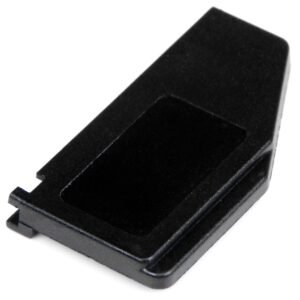
ExpressCard 34mm to 54mm Stabilizer Adapter - 3 Pack - TAA
$8.99 Add to cart -
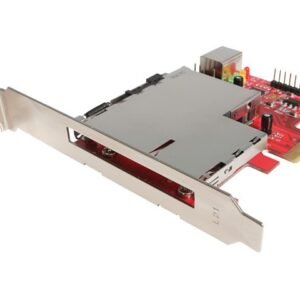
Dual Profile PCI Express to 34mm and 54mm ExpressCard Adapter Card
$33.99 Add to cart -

PCI Express Riser Card x1 Left Slot Adapter 1U with Flexible Cable
$65.99 Add to cart -
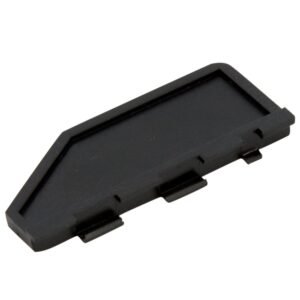
ExpressCard 34mm to 54mm Stabilizer Adapter - 3 Pack
$9.99 Add to cart