
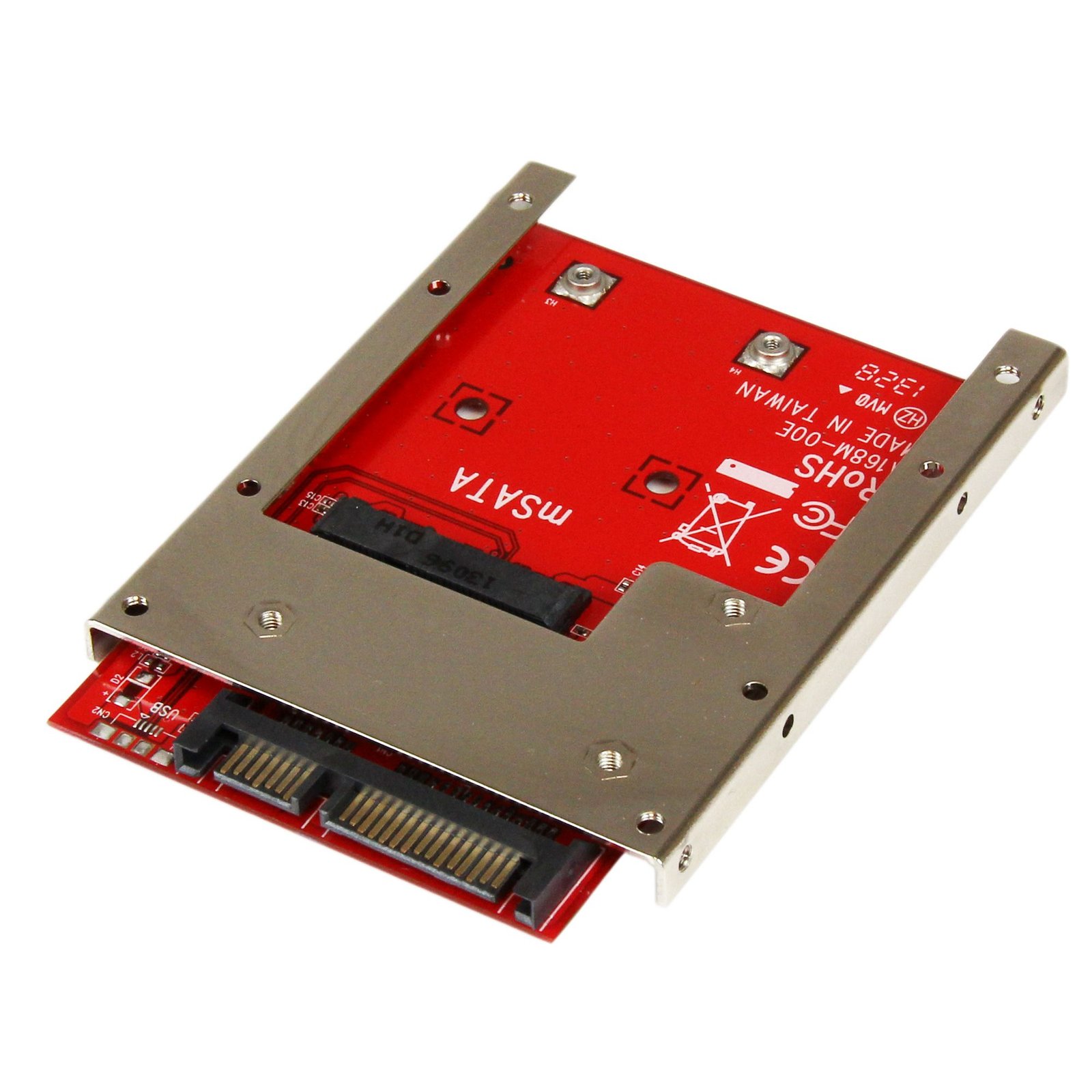
mSATA SSD to 2.5in SATA Adapter Converter - TAA
$30.74
Convert an mSATA SSD into a 7mm high 2.5in SATA 6Gbps Open Frame SSD
Specifications & Compliance
- UPC
- 065030855624
- Brand
- StarTech.com
- Included in Package
- 1 - mSATA SSD to 2.5in SATA SSD Converter, 1 - Mounting kit (2x drive mounting screws, 4x adapter mounting screws), 1 - Installation manual
- Shipping (Package) Weight
- 4.2 oz [120 g]
- Weight of Product
- 4.0 oz [114 g]
- Product Length
- 3.9 in [100 mm]
- Product Width
- 2.8 in [70 mm]
- Product Height
- 0.3 in [7 mm]
- Package Depth
- 5.6 in [14.3 cm]
- Package Width
- 6.9 in [17.4 cm]
- Package Height
- 1.3 in [33 mm]
- Color
- Red
- Warranty
- 2 Years
- Connector 1
- mSATA (52-Pin)
- Connector 1 (Quantity)
- 1
- Package Quantity
- 1
- Operating Temperature
- -25℃ to +80℃ (- -13°F to 176°F)
- Storage Temperature
- -40°C to 85°C (-40°F to 185°F)
- Humidity
- 20% to 80%
- Maximum Data Transfer Rate
- 6 Gbps
- Input Voltage
- 5V DC
- Output Voltage
- 3.3V DC
- Interface
- SATA
- Host Connector 1
- SATA (7-Pin + 15-Pin)
- Host Connector 1 (Quantity)
- 1
- SATA Type and Rate
- SATA III (6 Gbps)
- Compatible Drive Types
- mSATA (Mini SATA)
- Number of Drives
- 1
- Drive Installation
- Fixed
- RAID
- No
- Hot Swap Capability
- No
Questions & Answers
How can I check if my USB device is properly detected by Mac OS?
To confirm that the Mac OS detects your USB device, complete the following: Click the Apple icon. Click About This Mac . Click More Info or System Report . Under the appropriate heading, confirm that your USB device is listed and that there isn't an error. For example, a network card would be under Ethernet Cards . You may need to refresh the System Information page after you plug in your device. To do so, press Command + R with the System Information page open. Your USB device is listed according to the name of the chipset. To determine the name of the chipset of your USB device, navigate to www.StarTech.com and look on the Technical Specifications tab for your product.
Related products
-

PCMCIA to Compact Flash Adapter
$21.99 Add to cart -
Dual-Bay 2.5” to 3.5” SATA Hard Drive Adapter Enclosure with RAID
$46.99 Add to cart -

2.5in IDE to Dual Compact Flash SSD Adapter Card
$18.99 Add to cart -
Dual M.2 PCIe SSD Adapter Card, PCIe x8 / x16 to Dual NVMe or AHCI M.2 SSDs, PCI Express 4.0, 7.8GBps/Drive, Bifurcation Required - Windows/Linux Compatible - TAA
$81.99 Add to cart