
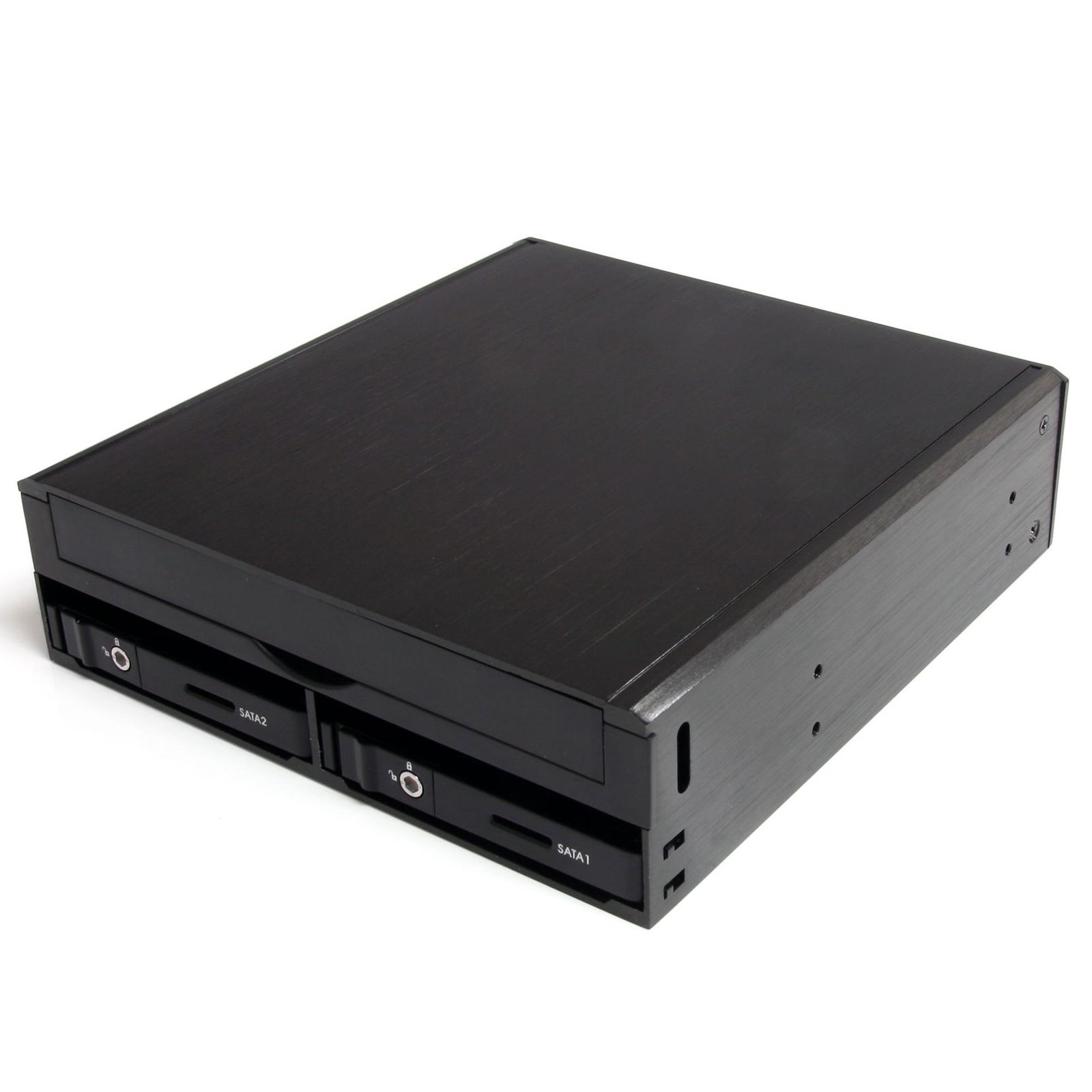
Mini SAS SFF-8087 to 2x 2.5in SATA/SAS + Slim Optical Drive 5.25in Hot Swap Backplane
$32.99
Add Removable 2.5in SATA/SAS Hard Drives and a Slim Optical Drive to a Computer through a Single 5.25in Bay
Specifications & Compliance
- UPC
- 065030844888
- Brand
- StarTech.com
- Included in Package
- 1 - SAS/SATA Backplane, 1 - 6in LP4 Molex to SATA Power Cable, 1 - Set of keys, 1 - Package of mounting screws, 1 - Instruction Manual
- Shipping (Package) Weight
- 22.2 oz [630 g]
- Weight of Product
- 16.6 oz [470 g]
- Product Length
- 6.0 in [15.3 cm]
- Product Width
- 5.7 in [14.6 cm]
- Product Height
- 1.7 in [42 mm]
- Package Depth
- 6.7 in [17 cm]
- Package Width
- 7.2 in [18.4 cm]
- Package Height
- 2.0 in [52 mm]
- Color
- Black
- Warranty
- 2 Years
- Connector 1
- Slimline SATA (13-Pin)
- Connector 1 (Quantity)
- 1
- Connector 2
- SFF-8482 (29-Pin, SAS)
- Connector 2 (Quantity)
- 2
- Operating Temperature
- 5°C to 80°C (41°F to 176°F)
- Storage Temperature
- -40°C to 70°C (-40°F to 158°F)
- Humidity
- 8% ~ 90% RH
- Material
- Aluminum and Plastic
- Special Notes
- SATA drives can be used on both SATA or SAS controllers, but SAS drives can only be used on SAS controllers
- LED Indicators
- 2 - HDD Power/Activity
- System and Cable Requirements
- Available 5.25in front expansion bay </br> SFF-8087 Mini SAS Cable </br> 7-pin SATA Cable
- Host Connector 1
- SATA (7-Pin)
- Host Connector 1 (Quantity)
- 1
- Host Connector 2
- LP4 / Molex Power (4-Pin, 5V / 12V)
- Host Connector 2 (Quantity)
- 1
- Compatible Drive Types
- SAS & SATA, Slimline SATA
- Number of Drives
- 2
- Drive Size
- 2.5in
- Drive Installation
- Removable
- Fans Included? Yes/No
- Yes
- RAID
- No
- Insertion Rating
- 3, 000 cycles
- Host Connector 3
- SFF-8087 (36-Pin, SAS)
- Host Connector 3 (Quantity)
- 1
- Fans
- 1 - 40 mm
- Hot Swap Capability
- Yes
- Max Drive Height
- 0.6 in [15 mm]
- Front Door Key Lock
- Yes
- Regulatory Approvals
- UL94 V-0 Rated
Questions & Answers
Everything is hooked up, but nothing is working. What do I do?
When you troubleshoot issues with a hard drive rack, there are some quick tests that you can complete to rule out potential problems. You can test to make sure that the following components are working correctly and are not the source of the issue: SATA and SAS cables Hard drives Hard drive rack To test your setup components, try the following: Use the cables, hard drives, and hard drive rack in another setup to see if the problem is with the components or the setup. Use a different cable, hard drive, and hard drive rack in your setup to see if the problem persists. Ideally, you should test a component that you know works in another setup. When you test the hard drive and hard drive rack, it is recommended that you do the following: To check Disk Management , press the Windows key + R , type diskmgmt.msc , and press Enter . Check to see if your hard drive is listed. If the hard drive is listed with unallocated space, it needs to be formatted. Right-click unallocated and click New Simple Volume . Follow the on-screen instructions to complete the reformatting. Note: Formatting a hard drive erases all of the data on it. Make sure that you back up all of your data before you reformat the hard drive. If the hard drive is listed as healthy but does not have a drive letter assigned to it, for example, C:, right-click healthy and click Change Drive Letter and Paths . Click Add , assign a drive letter, and click OK . Note: A formatted hard drive will not show up in Computer or My Computer until it has a drive letter assigned to it.
Related products
-
3 Drive 3.5in Trayless Hot Swap SATA Mobile Rack Backplane
$84.99 Add to cart -
Dual-Bay M.2 NVMe SSD to PCIe x8 Removable Mobile Rack; Bifurcation Required; Tool-less Installation, PCIe Backplane w/Two Hot-Swap Drive Bays
$197.99 Add to cart -
Professional 5.25in Aluminum ATA Hard Drive Mobile Rack w/ 2x 40mm Fan
$77.99 Add to cart -
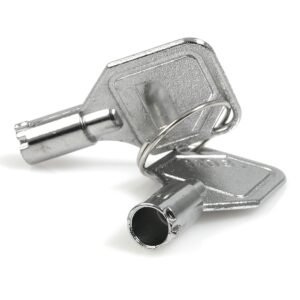
Replacement or Extra Drive Drawer Keys for the DRW150 Series
$6.99 Add to cart