
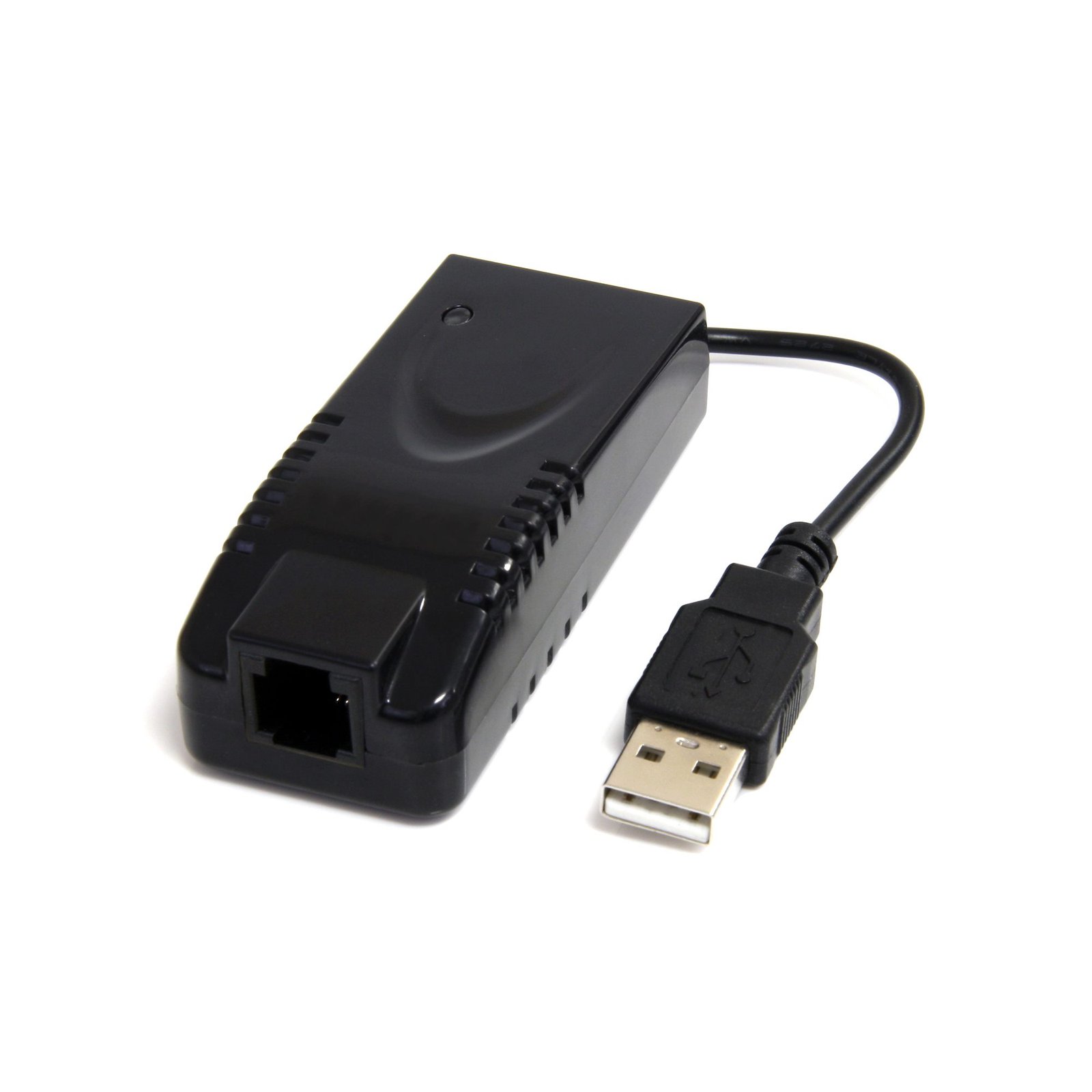
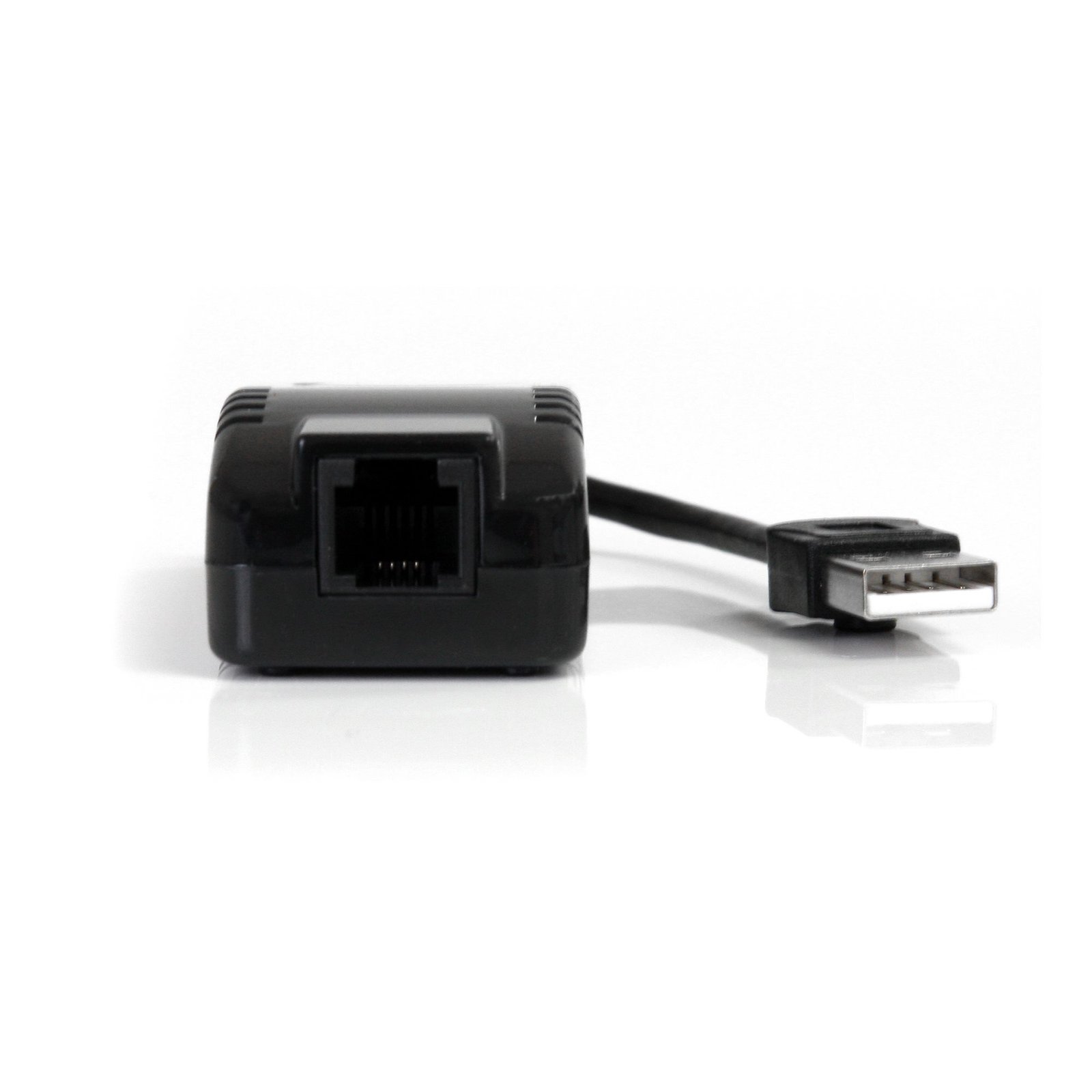
External V.92 56K USB Fax Modem
$41.99
Add dial-up and fax modem support to your desktop, laptop, or netbook computer through USB
Specifications & Compliance
- UPC
- 065030840392
- Brand
- StarTech.com
- Included in Package
- 1 - USB Modem, 1 - 6ft RJ-11 Phone/Modem cable, 1 - Driver CD, 1 - Instruction Manual
- Shipping (Package) Weight
- 2.1 oz [60 g]
- Weight of Product
- 1.8 oz [50 g]
- Product Length
- 7.7 in [19.5 cm]
- Product Width
- 1.3 in [32 mm]
- Product Height
- 0.8 in [21 mm]
- Package Depth
- 1.5 in [37.5 mm]
- Package Width
- 5.5 in [14 cm]
- Package Height
- 5.2 in [13.1 cm]
- Color
- Black
- Warranty
- 2 Years
- Connector 1
- RJ-11
- Connector 1 (Quantity)
- 1
- Connector 2
- USB-A (480Mbps, 2.5W)
- Connector 2 (Quantity)
- 1
- Operating Temperature
- 0°C to 70°C (32°C to 158°C)
- Storage Temperature
- -20°C to 85°C (-4°C to 185°C)
- Humidity
- 5~95% RH
- Maximum Data Transfer Rate
- 56 Kbps Down<br>48 Kbps Up<br>14.4 Kbps Fax
- Industry Standards
- Modem Modulation<br> ITU-T V.92, V.90, K56flex, V.34, V.32, v.23, V.22 bis, V.22, V.21, Bell 212A and 103<br><br> Fax Modulation<br> V.17, V.29, V.27 Ter, V.21 channel 2<br><br> Data Compression - V.44
- Chipset ID
- LSI - SV92U2C
- Power Consumption
- 0.1W
- LED Indicators
- 1 - Red - Power
- Number of Ports
- 1
- Bus Type
- USB 2.0
- Microsoft WHQL Certified
- Yes
Questions & Answers
Does Windows automatically install drivers for my USB fax modem in Windows 8, Windows 8.1, Windows 10, or Windows 11?
Yes. Windows 8, Windows 8.1, Windows 10, and Windows 11 include built-in drivers for this USB fax modem. In most cases, the driver is installed automatically when you connect the device. Explanation: When you connect the USB fax modem to a supported Windows computer, Windows will typically detect the device and install the required driver automatically. After the installation is complete, you can verify that the modem was installed successfully: Open Device Manager . Expand the Modems category. Confirm that the USB fax modem appears in the list of installed devices. If the modem does not appear or the driver installation fails, you can manually install the driver by following the instructions in the related manual driver installation FAQ: http://www.startech.com/faq/lsi_install_windows_v78 .
How do I install my fax modem in Windows Vista / 7 / 8? (.exe method)
Note: In Windows 8 and 8.1 the device may auto-install. For more information refer to the following FAQ: http://www.startech.com/faq/lsi_install_windows_8_8.1 Prior to installing this device, ensure that your operating system is up to date (for example, you have installed the most recent service pack). To install the driver: Download the latest drivers from the StarTech.com website ( http://www.startech.com/Support ). You can find the part number and product ID on the product’s packaging. Note: Windows will typically save the files to the Downloads folder that is associated with your user account (for example, C:Users your_name Downloads). Once the download is complete, right-click the zip folder that you downloaded, select Extract All , and follow the on-screen instructions. In the list of extracted files, right-click the Setup.exe file and select Run as Administrator . Note: If the Run as Administrator option is not available, you might be attempting to run the installer from within the zipped file. Extract the files using the instructions in Step 2. Follow the on-screen prompts to install the device drivers and restart the computer when prompted. Once Windows has restarted, connect the fax modem to your computer. Your computer will automatically complete the driver installation and your device should be ready to use.
How do I install my fax modem in Windows XP? (.exe method)
Prior to installing this device, ensure that your operating system is up to date (for example, you have installed the most recent service pack). To install the driver: Download the latest drivers from the StarTech.com website ( http://www.startech.com/Support ). You can find the part number and product ID on the product’s packaging. Note: Windows will typically save the files to the Downloads folder that is associated with your user account (for example, C:Documents and Settings your_name My DocumentsDownloads). Once the download is complete, right-click the zip folder that you downloaded, select Extract All , and follow the on-screen instructions. In the list of extracted files, double-click the Setup.exe file. Follow the on-screen prompts to install the device drivers and restart the computer when prompted. Once Windows has restarted, connect the fax modem to your computer. Your computer will automatically complete the driver installation and your device should be ready to use.
Related products
-

External 56K USB Modem
$23.99 Add to cart -

External V.92 56K USB Fax Modem – Dial up Data Modem
$43.99 Add to cart -
USB Bluetooth 5.0 Adapter, USB Bluetooth Dongle for PC/Computer/Laptop/Keyboard/Mouse, BT 5.0 Adapter for Headsets, Mini USB Bluetooth Receiver, Windows/Linux
$25.99 Add to cart -

USB to Infrared IrDA Adapter
$41.99 Add to cart