
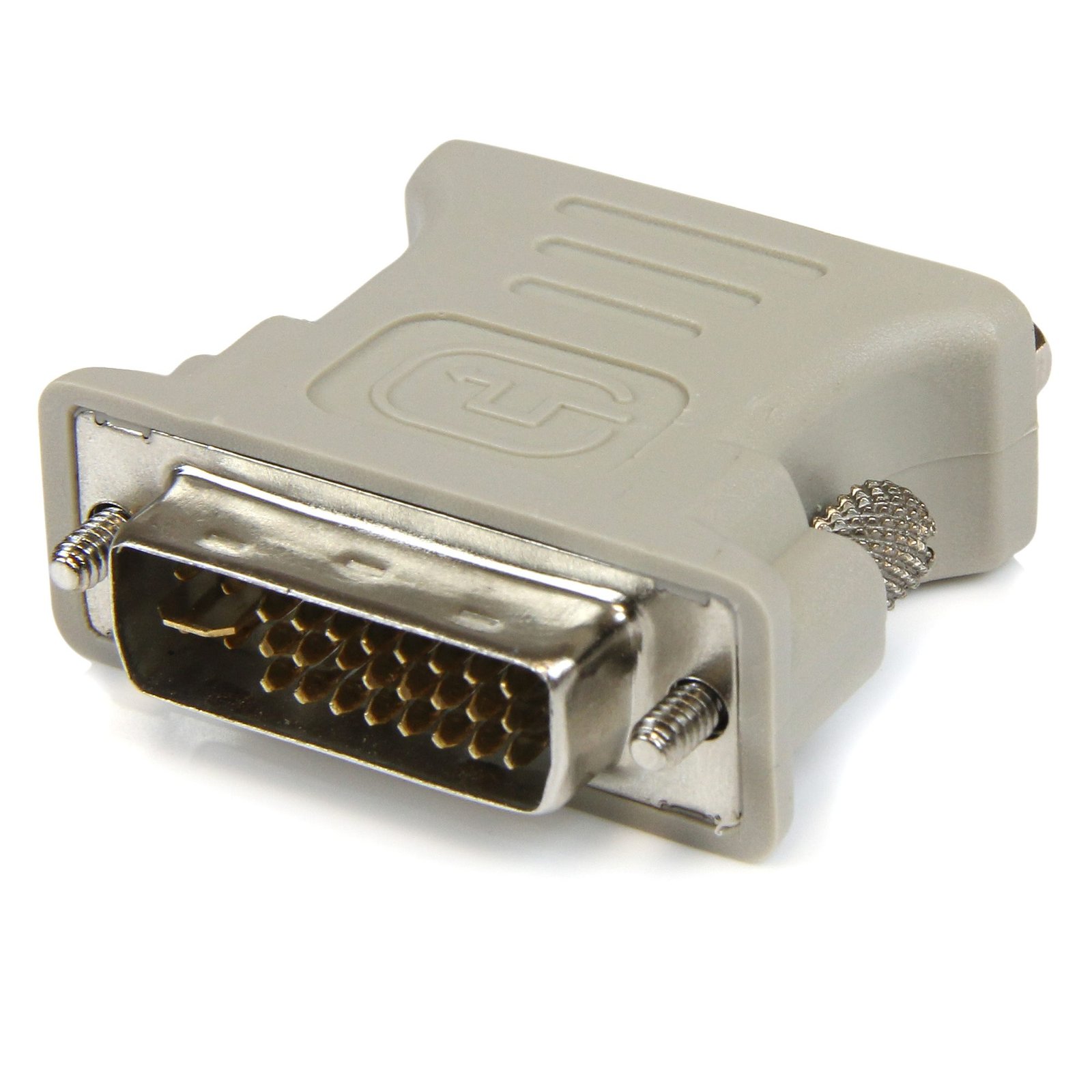
DVI to VGA Cable Adapter - M/F
$9.21
Connect your VGA Display to a DVI-I source
Specifications & Compliance
- Manufacturer #
- DVIVGAMF
- UPC
- 065030787598
- Brand
- StarTech.com
- Included in Package
- 1 - DVI to VGA Adapter M/F
- Shipping (Package) Weight
- 1.1 oz [30 g]
- Weight of Product
- 1.0 oz [28.0 g]
- Product Length
- 2.1 in [53.0 mm]
- Product Width
- 1.6 in [41.0 mm]
- Product Height
- 0.6 in [15.0 mm]
- Package Depth
- 3.5 in [90 mm]
- Package Width
- 3.0 in [77 mm]
- Package Height
- 0.7 in [17 mm]
- Color
- Beige
- Warranty
- Lifetime
- Connector 1
- DVI-I Dual-Link (29-Pin)
- Connector 1 (Quantity)
- 1
- Package Quantity
- 1
- Connector 2
- VGA
- Connector 2 (Quantity)
- 1
- Active or Passive Adapter
- Passive
Questions & Answers
Is this device an active or passive video converter, and what is the difference?
This device is a passive video converter, which changes the connector type without modifying the video signal. Explanation: Passive video converters (also called adapters) change only the physical connection type while maintaining the original video signal format. Because they do not process or convert the signal, passive converters are typically smaller, simpler, and do not require external power. Common examples include DVI-I to VGA, HDMI to DVI, and DisplayPort to Mini DisplayPort. Active video converters change both the connector type and the video signal itself, enabling conversion between different signal formats (such as digital to analog or between incompatible digital standards). Due to the required signal processing, active converters are usually larger and may require external power. Examples include DVI-D to VGA, HDMI to DisplayPort, and VGA to HDMI. For additional details on DisplayPort converter types, refer to: https://www.startech.com/faq/DisplayPort_Converter_DP_Multi_Mode . For guidance on converter selection with MST hubs, refer to: https://www.startech.com/faq/mst_hubs_passive_vs_active_adapters .
How do I determine if a DVI to VGA adapter is compatible with my setup?
This DVI to VGA adapter is compatible only if the source device outputs an analog signal through a DVI-I or DVI-A port and the display uses VGA. Explanation: This DVI to VGA adapter is a passive device that relies on an existing analog signal from the DVI source. It does not convert digital signals to analog. For this adapter to function correctly, the source device must provide an analog signal through a DVI-I or DVI-A interface, and the display device must accept VGA input. DVI-D sources are not compatible with this adapter because they output digital-only signals. In such cases, an active converter such as the DVI2VGAE is required to convert the digital signal to VGA. Some DVI-I connectors include all pins but may still output only a digital signal. Users must confirm that the source device supports analog output to ensure compatibility with this adapter. To determine what type of DVI port you have, refer to http://www.startech.com/faq//video_signal_converters_dvi_interface .
How can I identify which DVI connector type I have or need?
You can identify the DVI connector type by the pin configuration and determine compatibility based on whether the connection supports analog, digital, or both signal types. Explanation: DVI (Digital Visual Interface) connectors are defined by their pin layout and supported signal type. The main DVI connector types are: DVI-A (17 pin) . Analog signal only DVI-D Single Link (19 pin) . Digital signal only DVI-D Dual Link (25 pin) . Digital signal only, higher bandwidth DVI-I Single Link (23 pin) . Supports both analog and digital signals DVI-I Dual Link (29 pin) . Supports both analog and digital signals, higher bandwidth DVI-A is used for analog signals (similar to VGA), while DVI-D is used for digital signals (similar to HDMI). DVI-I connectors can carry both analog and digital signals, but actual support depends on the device’s specifications. Single Link and Dual Link indicate bandwidth capacity, which affects maximum supported resolution. Typical limits are up to 1920 × 1080 @ 60 Hz for Single Link and up to 2560 × 1600 @ 60 Hz for Dual Link. However, actual resolution support depends on the capabilities of the connected devices, not just the connector type. To ensure compatibility, verify both the connector type and the signal support in the specifications of the source and display devices.
Related products
-
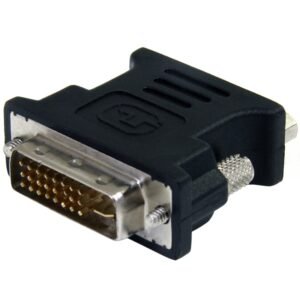
DVI to VGA Cable Adapter - Black - M/F
$6.99 Add to cart -
VGA HD15 Slimline Gender Changer - M/M
$9.21 Add to cart -

6 ft DVI to DFP Digital Flat Panel Display Adapter Cable - M/M
$29.99 Add to cart -
8" (20 cm) DMS-59 to Dual DisplayPort Adapter Cable - 4K x 2K Video - LFH DMS 59 pin (M) to 2x DisplayPort 1.2 (F) Splitter Y Cable - LFH Graphics Card to Dual DP Monitors
$28.69 Add to cart