
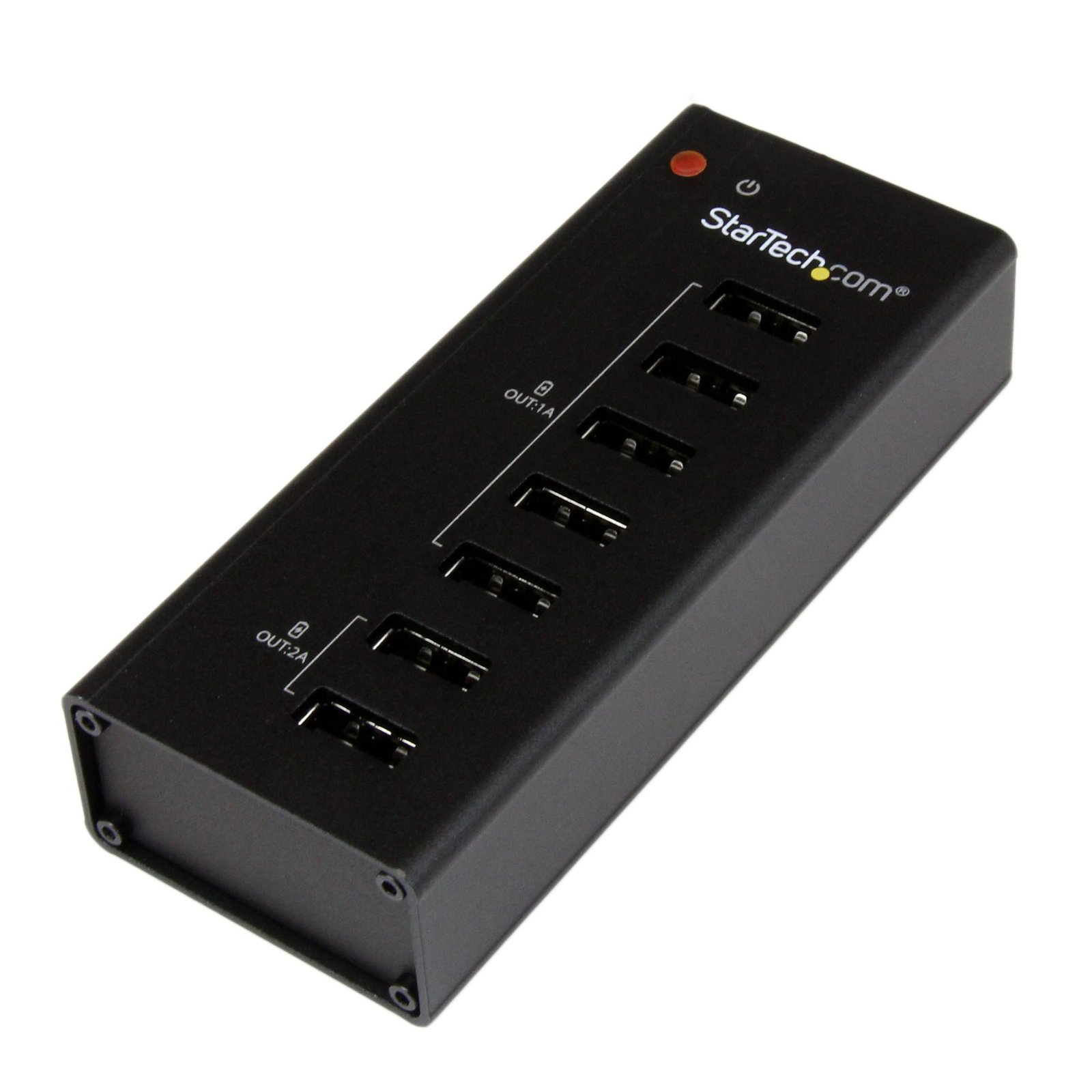
7-Port Charging Station for USB Devices
$69.99
Set up an external 7 port USB charging station for your tablets, smartphones and other mobile devices
Specifications & Compliance
- UPC
- 065030854658
- Brand
- StarTech.com
- Included in Package
- 1 - USB Charging Station, 1 - Wall-Mount Bracket (w/ Screws), 4 - Rubber Feet, 1 - Universal Power Adapter (NA/JP, EU, UK, ANZ), 1 - Instruction Manual
- Shipping (Package) Weight
- 19.2 oz [545 g]
- Weight of Product
- 4.4 oz [126.0 g]
- Product Length
- 4.3 in [11.0 cm]
- Product Width
- 1.8 in [45.0 mm]
- Product Height
- 0.9 in [24.0 mm]
- Package Depth
- 4.1 in [10.5 cm]
- Package Width
- 6.6 in [16.7 cm]
- Package Height
- 3.5 in [88 mm]
- Color
- Black
- Warranty
- 2 Years
- Connector 1
- USB-A (480Mbps, 2.5W)
- Connector 1 (Quantity)
- 7
- Package Quantity
- 1
- Operating Temperature
- 5°C to 35°C (41°F to 95°F)
- Storage Temperature
- -20°C to 50°C (-4°F to 122°F)
- Humidity
- 20~80% RH
- Material
- Aluminum
- Industry Standards
- USB Battery Charging Specification Rev. 1.2
- Power Source
- AC Adapter Included
- Special Notes
- The ST7CU35122 supports a maximum of 36 watts, which allows a maximum of up to four high-powered devices to be connected and charging at any one time (2x 1A and 2x 2A).
- Input Voltage
- 100 - 240 AC
- Output Voltage
- 12V DC
- Power Consumption
- 36
- LED Indicators
- 1 - Power
- Number of Ports
- 7
- Input Current
- 1.5 A
- Output Current
- 3
- Plug Type
- M
- Center Tip Polarity
- Positive
Questions & Answers
Everything is hooked up but nothing is working. What should I do?
When you troubleshoot issues with a USB hub, there are some quick tests that you can complete to rule out potential problems. You can test to make sure that the following components are working correctly and are not the source of the issue: USB A-to-B cable Computer USB port USB peripheral(s) To test your setup components, try the following: Use the USB cable and USB peripheral(s) in another setup to see if the problem is with the components or the setup. Use a different USB cable, USB port, and USB peripheral in your setup to see if the problem persists. Ideally, you should test a component that you know works in another setup. When you test your cables, it is recommended that you do the following: Test each cable individually. Use short cables when you are testing. When you test the hub, make sure that you do the following: If a power adapter is included, provide power to the USB hub. Attach a USB peripheral. The USB hub will not appear in any hardware listings on your system, but USB devices do appear when they are connected. Install the drivers for the USB peripheral. Install the latest drivers for the USB controller and motherboard chipset. Note: No drivers or software are required for the USB hub to work with your operating system. The USB hub works independently of software and works with any operating system. When testing your USB peripherals, make sure that you do the following: If required, attach external power. Confirm that the peripheral works on a standard USB port. If the USB peripheral(s) can be detected on a standard USB port and not on the hub, do the following: Use a new USB A-to-B cable. Test your setup using basic USB peripherals, such as a keyboard or mouse. Test using another USB port.
Can a USB hub be used without a power adapter, and how does this affect performance?
Yes, a USB hub can be used without a power adapter , but doing so reduces the available power to connected devices and may prevent high‑power devices from functioning properly. Explanation Some USB hubs can operate without an external power adapter by drawing power directly from the host computer’s USB port. In this configuration, the available power is shared across all ports on the hub, which limits the amount of power delivered to each connected device. As a result, high‑power USB devices—such as external hard drives—may not start or may function unreliably when connected to an unpowered hub. When a power adapter is connected, the USB hub can supply more power to each port than a single computer USB port can provide. This improves overall stability and compatibility with power‑intensive devices. Low‑power USB devices, such as keyboards and mice, typically function without issues on an unpowered hub. Additionally, USB devices that use their own external power adapters rely on the hub only for data transfer and do not draw power from the hub. Recommendation For consistent performance and full device compatibility, using the included power adapter is recommended whenever it is available.
What DC barrel connector power plug types do StarTech.com products use, and what are their dimensions?
StarTech.com DC barrel connector plug types are defined in the “Plug Type” field of the technical specifications, using a letter code that specifies the connector’s outer diameter (OD) and inner diameter (ID) in millimeters for power adapter compatibility. Explanation: In StarTech.com technical specifications, the “Plug Type” field is a standardized identifier for the exact DC barrel connector size required to power a product. Each plug type is assigned a letter code that corresponds to a specific combination of outer diameter (OD) and inner diameter (ID), measured in millimeters. Common DC barrel plug type dimensions Plug Type OD ID A 2.35 mm 0.7 mm B 4.0 mm 1.7 mm C 4.75 mm 1.7 mm H 3.4 mm 1.3 mm L 5.0 mm 2.5 mm M 5.5 mm 2.1 mm N 5.5 mm 2.5 mm The DC barrel connector plug type must match both the outer diameter and inner diameter exactly. A mismatch between the StarTech.com product requirement and the power adapter connector can prevent proper fit or stable power delivery, which may result in device startup failure or intermittent operation. The plug type defines only the physical connector size. The plug type does not define electrical power requirements such as voltage, current, or polarity. The power adapter used with a StarTech.com product must match the product’s specified electrical requirements. Using an incompatible power adapter can cause device malfunction or permanent damage. This standardized DC barrel connector plug type system enables IT professionals and procurement teams to verify connector dimensions, ensure power adapter compatibility, standardize hardware deployments, and identify the correct replacement power supply for StarTech.com products.
Related products
-

Charge-and-Sync Cabinet for iPad and Other Tablets
$678.99 Add to cart -
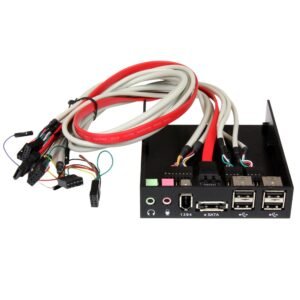
3.5in Black Multi Port Panel for Front Drive Bay with HD Audio - eSATA / FireWire 400 / USB 2.0
$33.99 Add to cart -

7-Port USB Hub - USB 3.0 5Gbps - USB-A to 7x USB-A - Compact Self Powered USB-A Hub w/ 35W Power Supply - Desktop/Laptop USB Hub - USB Expansion Hub
$73.79 Add to cart -
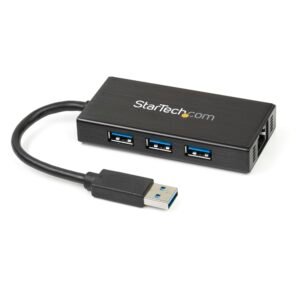
3-Port Portable USB 3.0 Hub plus Gigabit Ethernet - 5Gbps - Aluminum with Built-in Cable - TAA
$60.46 Add to cart