


45 ft. (14 m) HDMI Signal Booster - 4K 60Hz
$60.99
HDMI® Inline Repeater & Amplifier | USB Powered | 7.1 Audio Support | YUV 4:4:4
Specifications & Compliance
- UPC
- 065030883795
- Brand
- StarTech.com
- Included in Package
- 1 - HDMI Signal Booster, 1 - 1 ft [30 cm] Micro USB Power Cable, 1 - Quick-Start Guide
- Shipping (Package) Weight
- 3.8 oz [108 g]
- Weight of Product
- 0.5 oz [15.0 g]
- Product Length
- 1.1 in [28.5 mm]
- Product Width
- 2.0 in [52.0 mm]
- Product Height
- 0.5 in [13.7 mm]
- Package Depth
- 5.6 in [14.3 cm]
- Package Width
- 6.9 in [17.4 cm]
- Package Height
- 1.3 in [33 mm]
- Color
- Black
- Warranty
- 2 Years
- Connector 1
- HDMI
- Connector 1 (Quantity)
- 1
- Package Quantity
- 1
- Connector 2
- HDMI
- Connector 2 (Quantity)
- 1
- Operating Temperature
- 0°C to 70°C (32°F to 158°F)
- Storage Temperature
- -10°C to 80°C (14°F to 176°F)
- Humidity
- 5% to 90% RH
- Material
- Plastic
- Power Source
- Not Included (not required for standard applications)
- Input Voltage
- 5V DC
- Output Voltage
- 5 DC
- Power Consumption
- <2.5
- Audio
- Yes
- Plug Type
- USB Micro-B
- General Specifications
- HDCP 2.2
- AV Input
- HDMI
- AV Output
- HDMI
- Wide Screen Supported
- Yes
- Cascadable
- No
- Rack-Mountable
- No
- Video Revision
- HDMI 2.0
- Max Distance
- 14m [46ft]
- Cabling
- HDMI
- Bandwidth
- 18Gbps
Questions & Answers
I’m not seeing a video signal on the display. How do I fix this?
The power adapter may not be connected at the correct unit or may not be connected at all. Please check your product manual to see where your power adapter has to be positioned. An adapter to another video signal may be connected to the Transmitter or Receiver unit. Please avoid any converters for the initial setup. The Cat 5 or 6 cable coming from the transmitter or receiver unit may be connected to a network switch. Some of our video extenders will work in this configuration, but others will not. Please check your product manual to see if your model can be used connected to an IP network. For the initial setup, avoid connecting the Cat 5 or 6 cables to any network switch, hub, or router. The category of Unshielded Twisted Pair (UTP) cables may not meet StarTech.com’s requirements. Ensure at least Cat 5, 5e, or six cables are used, and they have eight wires. Some Cat 5 cables only have four wires. If using Cat 6 cables, be aware they have more twists per foot, so you may have to use shorter cable lengths if using Cat 6 cabling between your video extenders. Bundling up the UTP cabling connected to the extenders can cause crosstalk, which will prevent the video signal from showing on the display. Unwrapping the cable should resolve this issue.
The video signal is displayed, but the quality is not very good, or the colors are not accurate. How do I fix this?
Please check to see if your model has an adjustable Gain dial on the remote unit. If it does, use it to adjust the color until it is acceptable. Replace the VGA cable with a higher quality cable like StarTech.com’s MXT101MMHQ.
Related products
-
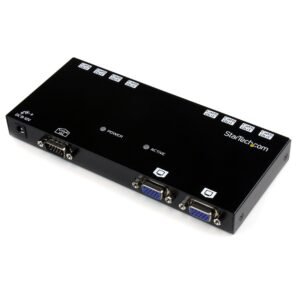
8 Port VGA Video Extender over Cat 5 - TAA
$308.99 Add to cart -

VGA over Cat 5 UTP Video Extender Repeater
$141.99 Add to cart -
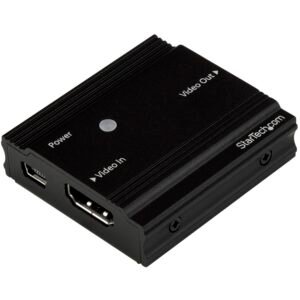
HDMI Signal Booster - HDMI Extender - 4K 60Hz - TAA
$95.99 Add to cart -
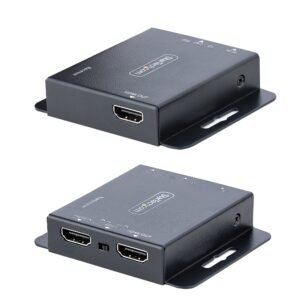
4K HDMI Extender over CAT6/CAT5 Ethernet Cable, 4K 30Hz or 1080p 60Hz Video Extender, HDMI over Ethernet Cable, HDMI Transmitter and Receiver Kit, IR Remote Control
$162.99 Add to cart