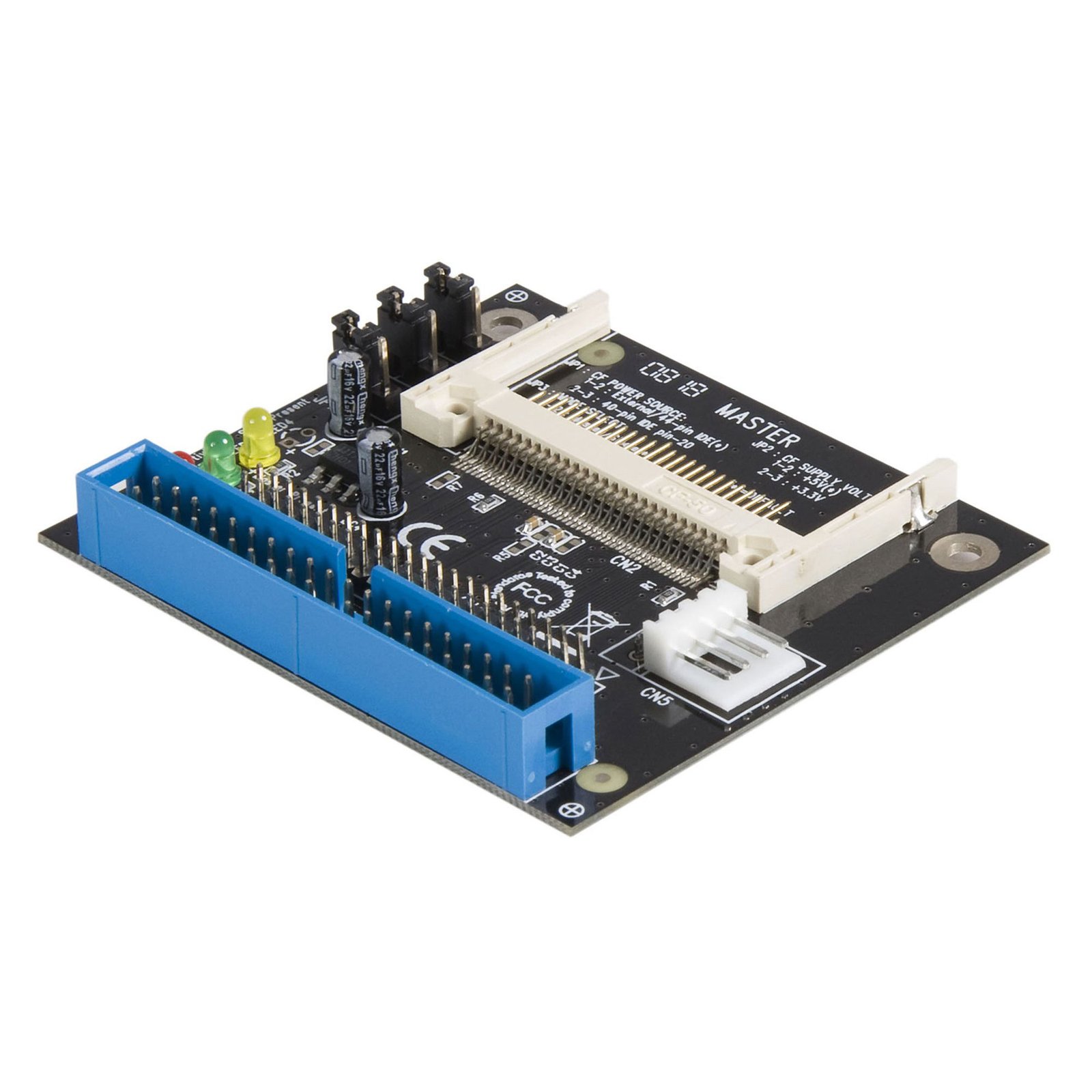
40/44 Pin IDE to Compact Flash SSD Adapter
$9.99
Connect a CompactFlash card to a 40 or 44-pin IDE host
Specifications & Compliance
- UPC
- 065030834735
- Brand
- StarTech.com
- Included in Package
- 1 - IDE to CompactFlash Adapter, 1 - Instruction Manual
- Shipping (Package) Weight
- 2.7 oz [76 g]
- Weight of Product
- 0.7 oz [21.0 g]
- Product Length
- 2.8 in [70.0 mm]
- Product Width
- 2.5 in [63.0 mm]
- Product Height
- 0.5 in [13.0 mm]
- Package Depth
- 5.7 in [14.4 cm]
- Package Width
- 6.6 in [16.8 cm]
- Package Height
- 1.2 in [30 mm]
- Color
- Black
- Warranty
- 2 Years
- Connector 1
- IDE / PATA (ATA/133)
- Connector 1 (Quantity)
- 1
- Package Quantity
- 1
- Connector 2
- CompactFlash Slot
- Connector 2 (Quantity)
- 1
- Operating Temperature
- 0°C to +50°C (32°F to +122°F)
- Storage Temperature
- -10°C to +70°C (14°F to +158°F)
- Humidity
- 75% RH
- Input Voltage
- 5V DC / 12V DC
- Output Voltage
- 5 DC
- Connector 3
- IDE / PATA 2.5in (ATA/133, Power)
- Connector 3 (Quantity)
- 1
- LED Indicators
- 1 - Red - Power, 1 - Green - Activity, 1 - Yellow - Card Present
- System and Cable Requirements
- 40 or 44 pin IDE interface
- Number of Drives
- 1
- RAID
- No
- Memory Media Type
- Compact Flash I, Compact Flash II, IBM Micro Drive
Questions & Answers
My hard drive accessory is not detecting my IDE hard drive. What do I do?
Note: If you are using an IDE hard drive 1 Gigabyte in size or smaller, refer to the following FAQ: http://www.startech.com/faq/hard_drive_accessories_minimum_ide_hard_drive_size If you are unable to detect your IDE (PATA) drive using a StarTech.com product, you may need to change the jumper settings on your drive. The jumpers switch the drive between Master, Slave, and Cable Select for most drives. A jumper is a small plastic piece that slides on top of two pins to electrically short them together. When it does not mention what IDE drive configuration is required or if there is only one drive in the setup, the drive should be configured as Master . If Master is not working, try using the drive in Cable Select . There is no standard position for the jumpers on IDE drives. On some drives, the jumper diagram is on the label that is on the top of the drive. On other drives, there are markings on the circuit board for CS , MA , and SL , which means a jumper shorts the pins vertically in that position. For more information, refer to the documentation provided by the manufacturer.
Is there a minimum supported size or type of IDE hard drive for this hard drive accessory?
Yes, this hard drive accessory does not support older IDE hard drives, typically those with capacities under 1 GB or manufactured before the mid‑to‑late 1990s. Explanation: This hard drive accessory is not compatible with certain legacy IDE hard drives due to outdated hardware and interface standards. Unsupported drives are generally those under 1 GB in capacity or produced before the mid‑to‑late 1990s. These drives may not be detected for several reasons, including: The drive operates in PIO (Programmed Input/Output) mode instead of DMA (Direct Memory Access). The drive is non‑ATA or uses an ATA standard earlier than ATA‑4, which is not supported by modern chipsets. The drive uses a sector size other than the standard 512 bytes. There is no workaround to enable compatibility with these older drives. Accessing them requires legacy hardware, such as an older system or an IDE controller card that supports these standards. For additional guidance on IDE drive detection, please refer to: http://www.startech.com/faq/hard_drive_accessories_ide_detection