
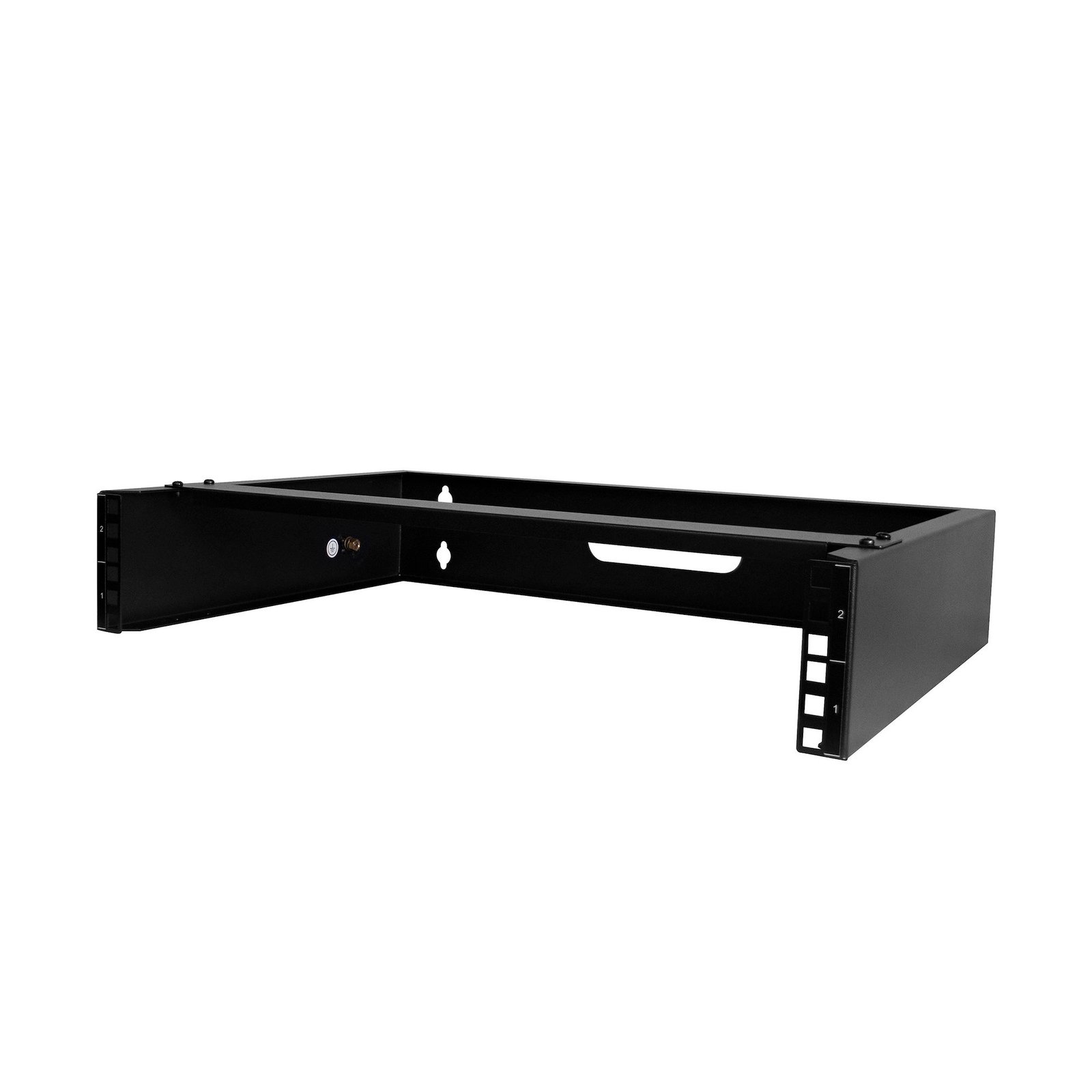
2U Wall Mount Network Rack - 14In. Deep (Low Profile) - 19" Patch Panel Bracket for Shallow Server, IT Equipment, Network Switches - 77lbs/35kg Weight Capacity, Black
$64.56
Mount equipment that is up to 14 inches deep, such as patch panels or network switches, to your wall
Specifications & Compliance
- UPC
- 065030893886
- Brand
- StarTech.com
- Included in Package
- 1 - Wall-mount rack, 8 - M6 Cage Nuts, 8 - M6 Cage Screws, 4 - M5x25mm Mounting Screws, 8 - Plastic Washers, 4 - Plastic Wall Anchors, 1 - Quick-Start Guide
- Shipping (Package) Weight
- 7.1 lb [3.2 kg]
- Weight of Product
- 4.6 lb [2.1 kg]
- Product Length
- 19.7 in [50.0 cm]
- Product Width
- 14.0 in [35.5 cm]
- Product Height
- 3.7 in [93.0 mm]
- Package Depth
- 20.9 in [53.2 cm]
- Package Width
- 15.5 in [39.4 cm]
- Package Height
- 5.5 in [14 cm]
- Color
- Black
- Warranty
- Lifetime
- Package Quantity
- 1
- Material
- Steel
- U Height
- 2U
- Wallmountable
- Yes
- Frame Type
- Open Frame
- Maximum Mounting Depth
- 11.8 in [30 cm]
- Construction Material
- Steel
- Rack Type
- 2-Post
- Mounting Rail Profile
- G-Shape
- Weight Capacity (No Casters)
- 77.2 lb [35 kg]
Questions & Answers
How do I use cage nuts to mount equipment in a server rack?
This video explains what cage nuts are, how to install and remove cage nuts in a compatible server rack, and how to determine whether a StarTech.com product includes cage nuts. Explanation : Cage nuts are used to mount IT equipment in server racks, such as the StarTech.com 4POSTRACK25U. Server racks that support cage nuts can be identified by the square mounting holes in the rack rails. Cage nuts help protect equipment from stripped threads and provide a convenient way to mount server rack equipment. A cage nut contains a standard nut inside a spring cage with two wings. The wings can be pinched together so the cage nut can be inserted into a square mounting hole. When the wings are released, they hold the cage nut securely in place. Cage nuts are available in multiple sizes. M5 and M6 cage nuts are commonly used in IT environments. M6 cage nuts are heavier and more robust than M5 cage nuts. The video demonstrates how to mount a cage nut on a rail in the StarTech.com 4POSTRACK25U. Although a slot screwdriver may be recommended for installing cage nuts in some situations, a cage nut mounting tool can make installation easier. To install a cage nut, use the cage nut mounting tool to engage one wing of the cage nut. Maintain pressure on the cage nut with your finger, then engage the other wing. Once both wings are secured in the square mounting hole, the cage nut is ready for the mounting screw. To remove a cage nut, use the cage nut mounting tool to release the cage nut wing on one side, then release the wing on the other side. To determine whether a StarTech.com product includes cage nuts, find the product on the StarTech.com website and check Technical Specifications under What’s in the Box . StarTech.com also sells M5 and M6 cage nuts and screws. These products are available under Server Rack Accessories > Mounting Screws and Cage Nuts .
How do I safely install equipment in a server rack?
Install the heaviest server rack equipment at the bottom of the rack first to create a stable base and reduce the risk of the rack becoming top-heavy. Use cage nuts and mounting screws to secure compatible rack equipment, and verify that the equipment is securely installed after tightening the screws. Explanation : When installing server rack equipment, start with the heaviest equipment at the bottom of the rack. This approach provides a stable base and helps prevent the rack from becoming top-heavy and falling over, especially when installing multiple devices in a tall rack. For equipment that is long, heavy, unbalanced, or difficult to handle, have another person assist with the installation to help prevent injury or equipment damage. For equipment such as a patch panel that mounts using cage nuts, install the cage nuts in the rack first. Position the equipment, insert the mounting screws into the cage nuts, and tighten the screws without stripping or damaging them. Use extra care with electric tools because they can apply more torque. After installation, confirm that the rack equipment is securely mounted. If you have questions about installing equipment in a server rack, contact the technical support team for assistance.
How do I check if a StarTech.com shelf is compatible with my server rack?
A StarTech.com shelf will fit a server rack if the rack supports 19-inch standard mounting and the shelf depth is within the rack’s supported mounting depth range. Explanation: StarTech.com server racks use the industry-standard 19-inch width, so most shelves designed for 19-inch racks are physically compatible in width. However, compatibility depends primarily on mounting depth and mounting type. Mounting depth compatibility: For shelves that mount on all four posts (4-post racks or cabinet racks), the shelf depth must fall within the rack’s minimum and maximum mounting depth. Both values are listed in the Technical Specifications of the rack and shelf product pages. If the shelf depth exceeds or does not reach the supported range, the shelf cannot be installed. Front-mount shelves: For shelves that mount only on the front posts (2-post mounting), mounting depth is not a constraint. However, there must be sufficient rear clearance in the rack to accommodate the full depth of the shelf and any installed equipment. Accessory validation: If a shelf is listed under the “Accessories” tab on a specific StarTech.com server rack product page, it has been verified as compatible with that rack model.
What is a server rack, and how do I determine whether it will work for my equipment?
A server rack is a standardized framework used to mount and organize IT, networking, and AV equipment. To determine whether a server rack will work in your environment, you must verify the rack unit (U) capacity, mounting depth, weight capacity, rack type, and compatibility with your equipment and accessories. Explanation: Server racks help organize and secure equipment such as servers, network switches, patch panels, UPS systems, and AV hardware. Selecting the correct server rack requires understanding several key specifications. Understanding Rack Units (U) Rack space is measured in rack units (U). 1U = 1.75 inches (44.45 mm) of vertical rack space A 12U rack provides 12 rack units of usable mounting height Equipment can occupy more than 1U of rack space Before purchasing a rack, add together the rack unit requirements of all equipment and accessories to ensure sufficient capacity. 2-Post vs. 4-Post Server Racks Server racks are commonly available in two configurations, 2-post and 4-post. A 2-post rack is often used for: Network switches Patch panels Telecom equipment A 4-post rack is typically recommended for: Servers UPS systems Storage equipment Heavier rack-mounted devices Open vs. Enclosed Server Racks Many 4-post racks are available in either open-frame or enclosed cabinet designs. Open-frame racks Provide easy equipment access Simplify cable routing Promote airflow Are typically used in dedicated IT rooms Enclosed server racks Include lockable doors and side panels Provide physical security Help reduce equipment noise Restrict unauthorized access Enclosed racks may use: Mesh doors for improved airflow Glass doors for visibility and security Understanding Mounting Depth Many 4-post server racks feature adjustable mounting rails. Two important specifications are Minimum Mounting Depth and Maximum Mounting Depth. Minimum Mounting Depth refers to the shortest distance between front and rear mounting rails. Maximum Mounting Depth refers to the longest equipment mounting depth supported by the rack. The maximum mounting depth must be greater than or equal to the depth of the equipment being installed. When equipment is installed close to the rack's maximum depth, there may be limited space available for: Power cables Network cabling Cable management accessories Always verify the depth requirements of: Servers UPS systems Network equipment Rack accessories Compatibility Considerations Before selecting a server rack, verify: Available rack units (U) Mounting depth requirements Rack weight capacity Equipment dimensions Ventilation requirements Cable management needs Some rack-mounted accessories also specify minimum and maximum mounting depths. Review the technical specifications for both the rack and the accessory to ensure compatibility. Mobility and Installation Options Server racks can be installed in different ways depending on the deployment environment. Common options include: Freestanding installation Floor-bolted installation Mobile installation using casters Some server racks include casters, while others support optional caster kits. If mobility is required, verify that compatible casters are available for the specific rack model. Additional Planning Considerations When designing a rack installation: Equipment can often be mounted from both the front and rear of a 4-post rack, provided the combined equipment depth does not exceed the rack's maximum mounting depth. Leave sufficient room for cable management, airflow, and future expansion. Verify that the rack's weight rating supports the total installed equipment load. Consider physical security, accessibility, and cooling requirements when choosing between open-frame and enclosed designs.
Related products
-
Refurbished 41U 36in Black Server Rack Cabinet
$690.00 Add to cart -
42U Open Frame Server Rack - 994.5lbs capacity - 4 Post Adjustable Depth (22" to 40") Network Equipment Rack
$451.99 Add to cart -
Refurbished 15U 19in Black Server Rack Cabinet with Fans
$426.99 Add to cart -
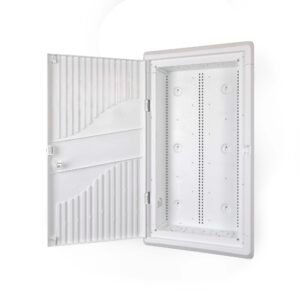
28-Inch Wall-Mount Media Enclosure, Cable Management Box for Network Distribution, Structured Media Enclosure, Mounting Fixtures/Modules Included
$135.29 Add to cart