
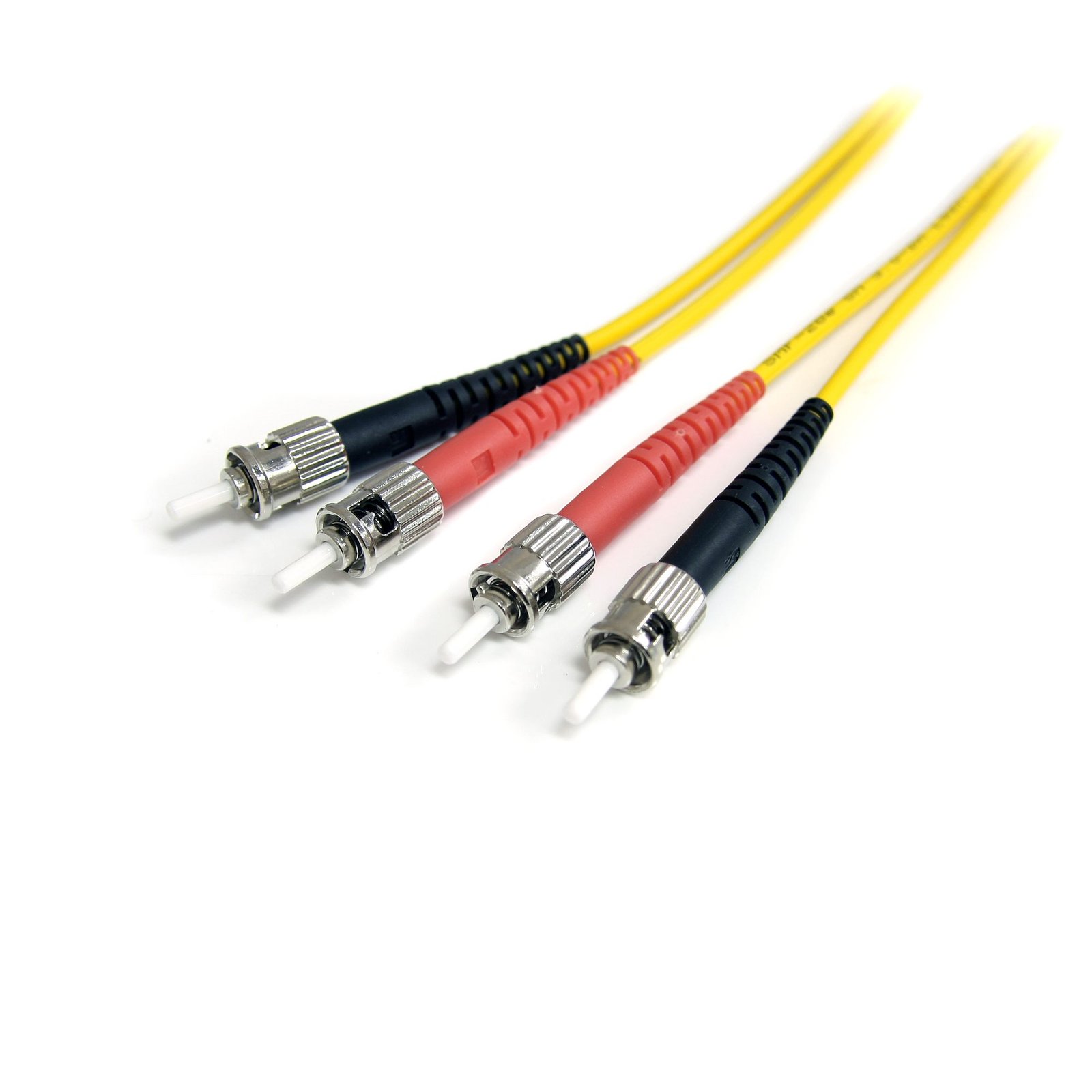
2m Single Mode Duplex Fiber Patch Cable ST-ST
$35.99
Provide a high-performance link between fiber network devices
Specifications & Compliance
- UPC
- 065030788427
- Brand
- StarTech.com
- Included in Package
- 1 - 2m Singlemode Duplex Fiber Cable ST-ST
- Shipping (Package) Weight
- 2.1 oz [60 g]
- Product Length
- 6.6 ft [2.0 m]
- Package Depth
- 3.8 in [96 mm]
- Package Width
- 7.8 in [19.9 cm]
- Package Height
- 8.3 in [21.1 cm]
- Color
- Yellow
- Cable Length
- 6.6 ft [2 m]
- Warranty
- Lifetime
- Connector 1
- ST Duplex Fiber
- Connector 1 (Quantity)
- 1
- Connector 2
- ST Duplex Fiber
- Connector 2 (Quantity)
- 1
- Fiber Type
- Single Mode
- Fiber Size
- 9/125
- Fiber Classification
- OS1
Questions & Answers
Everything is hooked up but nothing is working. What should I do?
When you troubleshoot issues with a network cable, there are some quick tests that you can complete to rule out potential problems. You can test to make sure that the following components are working correctly and are not the source of the issue: Network devices Network cables To test your setup components, try the following: Use the network devices and network cables in another setup to see if the problem is with the components or the setup. Use different network devices and network cables in your setup to see if the problem persists. Ideally, you should test a component that you know works in another setup. When you test your cables, it is recommended that you do the following: Test each cable individually. Use short cables when you are testing. When you test the network devices and network cables, make sure that the link LEDs (if present) turn on for both of the devices. This indicates basic network connectivity between the network devices. You also need to determine if your devices need a straight through or a crossover cable. For more information about straight through and crossover cables, see the following FAQ: http://www.startech.com/faq/network_cables_straight_through_vs_crossover If the link LEDs are not illuminated or there are not any LEDs present, you will need to troubleshoot your devices. Alternatively, you can also use a network cable tester, such as the REMOTETEST or LANTESTPRO .
Related products
-
1m (3ft) LC to LC (UPC) OM4 Multimode Fiber Optic Cable, 50/125µm LOMMF/VCSEL Zipcord Fiber, 100G, Low Insertion Loss - LSZH Fiber Jumper Cord
$22.54 Add to cart -
7m (22ft) LC/UPC to LC/UPC OM4 Multimode Fiber Optic Cable, 50/125µm LOMMF/VCSEL Zipcord Fiber, 100G, Low Insertion Loss - LSZH Fiber Jumper Cord
$39.96 Add to cart -

5m (16.4ft) LC to LC (UPC) OM4 Multimode Fiber Optic Cable w/Push Pull Tabs, 50/125µm, 100G, Bend Insensitive, Low Insertion Loss - LSZH Fiber Jumper Cord
$42.01 Add to cart -
10m (30ft) LC/UPC to LC/UPC OM4 Multimode Fiber Optic Cable, 50/125µm LOMMF/VCSEL Zipcord Fiber, 100G, Low Insertion Loss - LSZH Fiber Jumper Cord
$49.19 Add to cart