
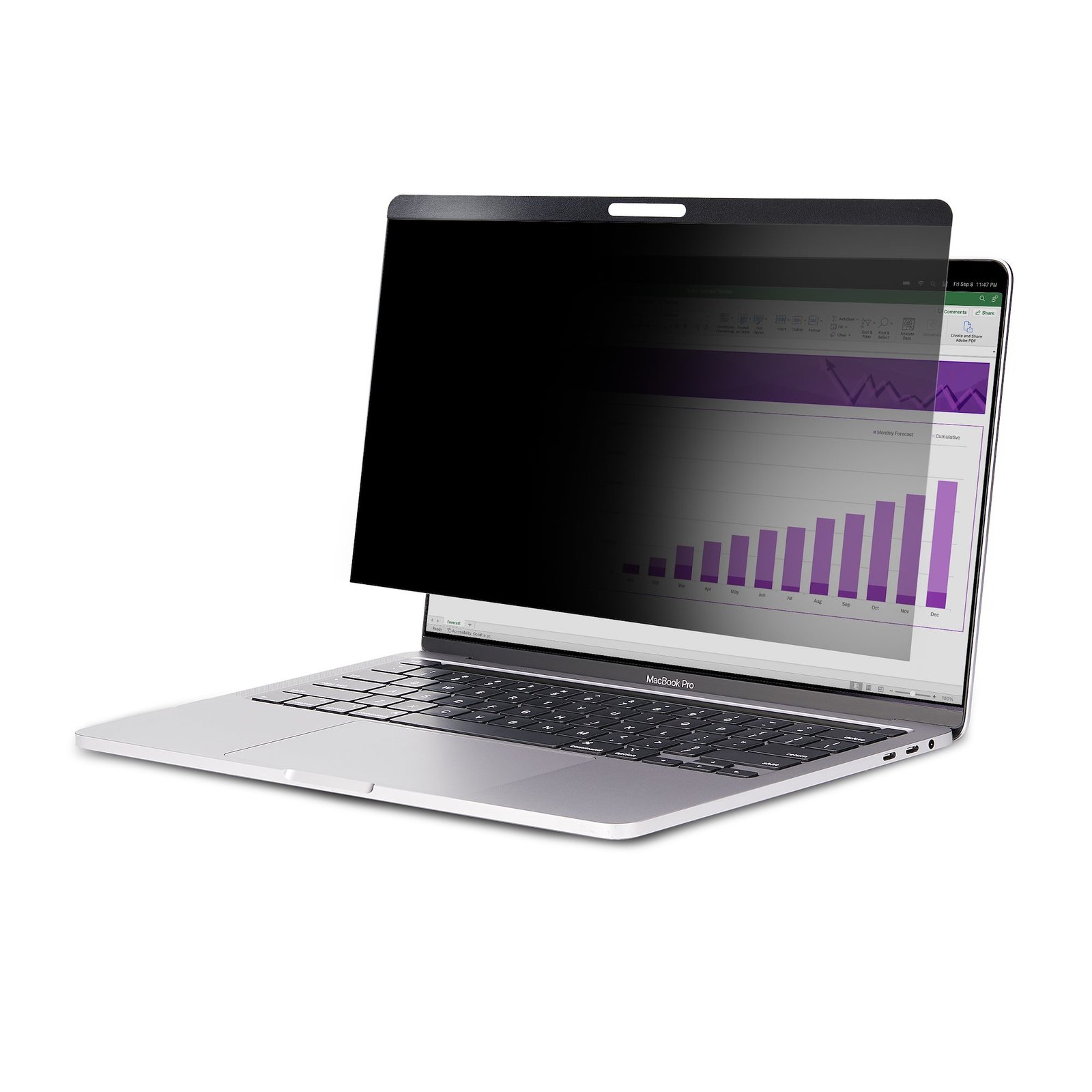
13-inch MacBook Pro & MacBook Air Magnetic Laptop Privacy Screen, Blue Light Screen Protector, Reversible Anti-Glare Matte or Glossy Sides, Laptop Privacy Filter - TAA
$57.39
Prevent visual eavesdropping by limiting the viewing angles of your 13in MacBook Air/Pro screen
Specifications & Compliance
- UPC
- 065030886734
- Brand
- StarTech.com
- Included in Package
- 1 - Privacy Screen, 1 - Wiping Cloth, 1 - L Folder
- Shipping (Package) Weight
- 7.2 oz [204 g]
- Weight of Product
- 1.3 oz [37.0 g]
- Product Length
- 11.7 in [29.7 cm]
- Product Width
- 7.6 in [19.4 cm]
- Product Height
- 0.4 in [10.0 mm]
- Package Depth
- 10.2 in [25.8 cm]
- Package Width
- 15.1 in [38.3 cm]
- Package Height
- 0.3 in [8 mm]
- Color
- Transparent
- Warranty
- 2 Years
- Package Quantity
- 1
- Material
- Plastic
- Mounting Options
- Front of Monitor
- Maximum Display Size
- 13"
- Aspect Ratio
- 16:10
- Attachment Method
- Magnetic
- Fits Curved Display
- No
- Fits UltraWide Displays
- No
Questions & Answers
Do privacy screens affect touchscreen sensitivity, accuracy, or gesture performance?
Yes, privacy screens can reduce touchscreen sensitivity and accuracy and may interfere with gesture performance, especially for dragging or precise touch input. Explanation: Privacy screens add a physical layer on top of a touchscreen display, which can affect how touch input is detected and interpreted. The impact depends on the type of interaction and mounting method. Key effects include: Reduced touch sensitivity and accuracy, especially for small on-screen targets or detailed input. Dragging, swiping, or multi-touch gestures may not register consistently or may feel less responsive. Adhesive-mounted privacy screens may wear out over time with repeated touch interactions, particularly dragging motions. Magnetic privacy screens can shift or become misaligned during use, especially with frequent gestures. Privacy screens mounted with tabs (typically on the sides or bottom) may move slightly during touch interaction. Privacy screens are best suited for touchscreen use cases that rely on simple tap interactions with large buttons, such as point-of-sale (POS) systems. Touch performance can vary depending on the touchscreen technology and the specific privacy screen design. Testing the privacy screen on the intended display model before large-scale deployment is recommended to confirm compatibility and usability.
Related products
-

14-inch MacBook Pro M1 M2 M3 M4 M5 Magnetic Laptop Privacy Screen, Blue Light Screen Protector, Reversible Anti-Glare Matte or Glossy Sides, Laptop Privacy Filter
$65.59 Add to cart -
4-Way 12.4in Surface Laptop Go 1/2/3 Privacy Screen Filter, Portrait/Landscape, Touch-Enabled, +/- 30 Deg. View, Blue Light Reduction, Matte Finish
$49.19 Add to cart -
13.3in Laptop Privacy Screen - Anti-Glare Privacy Filter for Widescreen (16:9) Displays - Laptop Monitor Screen Protector with 51% Blue Light Reduction - Reversible Matte/Glossy Sides - TAA
$18.99 Add to cart -
15.6-inch 16:9 Flip-Up Privacy Screen with Touch, Anti-Glare Blue Light Filter, Laptop Monitor Screen Protector, +/- 30 Deg. View Angle
$55.34 Add to cart