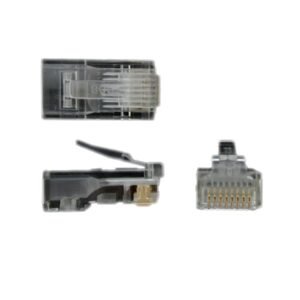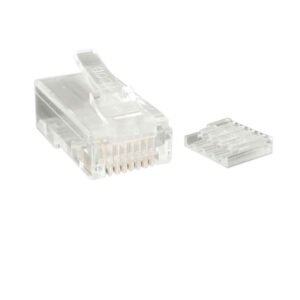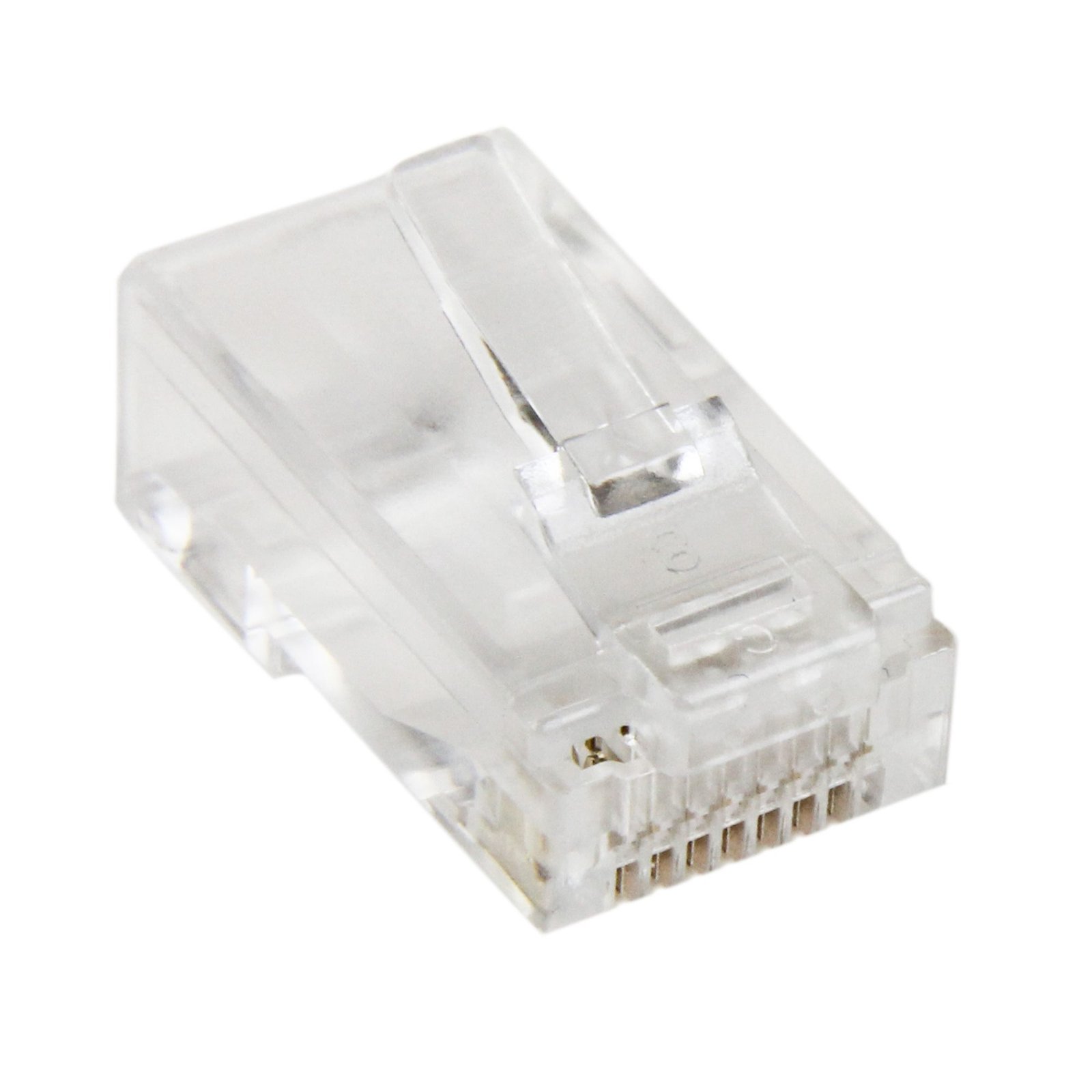
1 Piece Cat 5 RJ45 Solid Wire Connector
$5.99
1 Piece Cat 5 RJ45 Solid Wire Connector Specifications Package Depth0.4 in [10 mm] Package Height0.8 in [20 mm] Package Width0.6 in [15 mm] Shipping (Package) Weight0.7 oz [20 g] UPC065030790840 WarrantyLifetime Included in…
Specifications & Compliance
- UPC
- 065030790840
- Brand
- StarTech.com
- Included in Package
- 1 - RJ45 Solid Connector 50U-Gold (BULK)
- Shipping (Package) Weight
- 0.7 oz [20 g]
- Package Depth
- 0.4 in [10 mm]
- Package Width
- 0.6 in [15 mm]
- Package Height
- 0.8 in [20 mm]
- Color
- Clear
- Warranty
- Lifetime
- Connector 1
- RJ-45
- Connector 1 (Quantity)
- 1
Questions & Answers
What is the difference between T568A and T568B Ethernet cable wiring?
T568A and T568B are two standard Ethernet cable wiring schemes used for terminating straight-through Ethernet cables. Both standards provide the same electrical performance and network functionality. The primary difference is the arrangement of the wire pairs within the RJ45 connector. StarTech.com straight-through Ethernet cables use the T568B wiring standard. Note: For more information about the differences between straight-through and crossover Ethernet cables, refer to the following FAQ: http://www.startech.com/faq/network_cables_straight_through_vs_crossover . Wiring Pinout Table Pin T568A T568B 1 white/green white/orange 2 green orange 3 white/orange white/green 4 blue blue 5 white/blue white/blue 6 orange green 7 white/brown white/brown 8 brown brown For products related to this article, click here .
What is the difference between Cat5, Cat5e, Cat6, Cat6a, and Cat8 Ethernet cables?
Cat5, Cat5e, Cat6, Cat6a, and Cat8 Ethernet cables are different categories of twisted-pair network cabling designed for specific Ethernet speeds, frequencies, and performance requirements. Higher-category Ethernet cables generally support higher bandwidth, improved noise reduction, and faster network speeds over supported distances. Explanation: Ethernet cable categories define the electrical performance standards for twisted-pair network cabling. As Ethernet standards evolved, newer cable categories were introduced to support higher data transfer speeds, higher operating frequencies, and improved resistance to signal interference and crosstalk. Higher-category Ethernet cables typically provide: Higher maximum bandwidth Better noise and crosstalk reduction Improved signal integrity Support for faster network speeds Most Ethernet devices are backward compatible, which means higher-category cables can usually be used with lower-speed network equipment. The following table compares common Ethernet cable categories: Category Typical Application Maximum frequency Maximum Supported Distance CAT5 10/100 Mbps Ethernet 100 Mhz 100 m (328 ft) for 100BASE-T CAT5e 10/100/Gigabit Ethernet 100 MHz 100 m (328 ft) for 1000BASE-T CAT6 Gigabit Ethernet and limited 10Gbps 250 MHz 100 m (328 ft) for 1Gbps; up to 55 m (180 ft) for 10GBASE-T CAT6a 10 Gigabit Ethernet 500 MHz 100 m (328 ft) for 10GBASE-T Cat8 25Gbps / 40Gbps Ethernet in data center environments 2000 MHz Up to 30 m (98 ft) for 25GBASE-T and 40GBASE-T Cat5e remains one of the most commonly used Ethernet cable types for standard Gigabit Ethernet networks. Cat6 and Cat6a are commonly used in higher-performance business and professional installations, while Cat8 is designed primarily for short-distance, high-speed data center and enterprise networking applications. The actual performance of any Ethernet cable depends on several factors, including: Cable length Installation quality Connector termination quality Environmental interference Network hardware compatibility
What is the difference between a straight-through Ethernet cable, and a crossover Ethernet cable?
Straight-through Ethernet cables and crossover Ethernet cables use different internal wiring configurations for different networking applications. Straight-through Ethernet cables are typically used to connect dissimilar network devices, while crossover Ethernet cables are traditionally used to connect similar devices directly to each other. Explanation: Ethernet patch cables are commonly available in two wiring types: Straight-through Ethernet cables Crossover Ethernet cables The required cable type depends on the devices being connected. The following table outlines typical applications for each cable type: Cable type Typical application Straight-through Between a computer and a modem, router, or switch CAT5/CAT6 peripheral extenders Between other dissimilar networking equipment Crossover Between two computers Between two similar networking devices A straight-through Ethernet cable uses the same wiring standard on both ends of the cable: T568A to T568A T568B to T568B A crossover Ethernet cable uses different wiring standards on each end: T568A on one end T568B on the other end You can often identify the cable type by comparing the wire color order visible through the RJ45 connectors: If both ends have the same wire order, the cable is straight-through. If the wire order differs between ends, the cable is crossover. For more information about T568A and T568B Ethernet wiring standards, refer to the related FAQ: http://www.startech.com/faq/network_cables_a_vs_b_pinout . Many modern network devices support Auto MDI-X technology, which automatically detects and adjusts for the required cable type. Devices with Auto MDI-X can typically use either straight-through or crossover Ethernet cables interchangeably.
What is the difference between stranded and solid Ethernet cables?
Stranded and solid Ethernet cables differ in conductor construction, flexibility, and typical installation use cases. Stranded Ethernet cables are more flexible and are commonly used for patch cables, while solid Ethernet cables provide better signal consistency and are typically used for permanent in-wall or long-distance cable runs. Explanation: Ethernet cables are manufactured using either stranded conductors or solid conductors. Stranded Ethernet cables use multiple small copper strands for each conductor. This construction makes the cable more flexible and resistant to damage from repeated bending or movement. Stranded Ethernet cables are commonly used for: Patch cables Desktop connections Connections between devices and wall outlets Short cable runs Frequently moved or reconnected equipment Solid Ethernet cables use a single solid copper conductor for each wire. This construction provides improved electrical performance and signal consistency over longer distances but makes the cable less flexible. Solid Ethernet cables are commonly used for: In-wall installations Structured cabling Long cable runs Permanent network infrastructure Patch panels and keystone jack terminations