
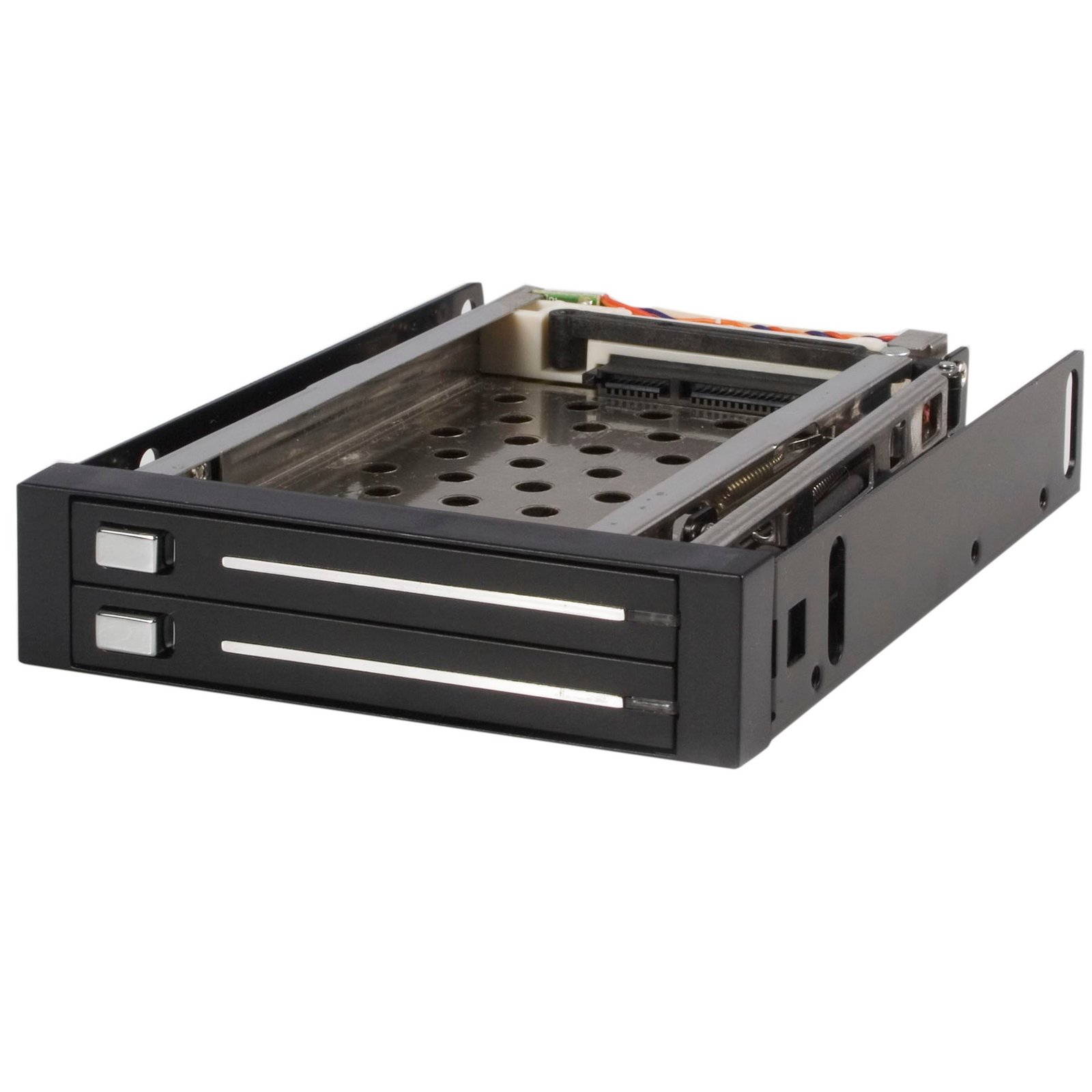
2 Drive 2.5in Trayless Hot Swap SATA Mobile Rack Backplane
$72.76
Easy, trayless removal and insertion of dual 2.5in SATA hard drives from single 3.5in bay
Specifications & Compliance
- UPC
- 065030827980
- Brand
- StarTech.com
- Included in Package
- 1 - dual SATA hot-swap bay, 2 - LP4 to SATA and LED adapter cable, 2 - 7-pin SATA data cable, 1 - 15-pin SATA power and LED Y cable, 2 - hard drive protector film, 1 - screw kit, 1 - instruction manual
- Shipping (Package) Weight
- 17.3 oz [490 g]
- Weight of Product
- 10.1 oz [286.0 g]
- Product Length
- 5.3 in [13.4 cm]
- Product Width
- 4.0 in [10.2 cm]
- Product Height
- 0.9 in [24.0 mm]
- Package Depth
- 5.0 in [12.8 cm]
- Package Width
- 6.7 in [17 cm]
- Package Height
- 2.0 in [52 mm]
- Color
- Black
- Warranty
- 2 Years
- Connector 1
- SATA (15-Pin)
- Connector 1 (Quantity)
- 2
- Package Quantity
- 1
- Connector 2
- SP4 / Floppy Power (4-Pin, 5V / 12V)
- Connector 2 (Quantity)
- 2
- Material
- Aluminum
- Connector 3
- SATA (7-Pin)
- Connector 3 (Quantity)
- 2
- LED Indicators
- 1 - Power/Drive Activity
- Host Connector 1 (Quantity)
- 2
- Connector 4 (Quantity)
- 2
- Host Connector 2 (Quantity)
- 2
- SATA Type and Rate
- SATA III (6 Gbps)
- Connector 5 (Quantity)
- 2
- Compatible Drive Types
- SATA
- Number of Drives
- 2
- Drive Size
- 2.5in
- Max Drive Capacity
- Tested up to 500GB per drive
- Hot Swap Capability
- Yes
- Max Drive Height
- 0.4 in [9.5 mm]
- Front Door Key Lock
- No
Questions & Answers
Everything is hooked up, but nothing is working. What do I do?
When you troubleshoot issues with a hard drive rack, there are some quick tests that you can complete to rule out potential problems. You can test to make sure that the following components are working correctly and are not the source of the issue: SATA and SAS cables Hard drives Hard drive rack To test your setup components, try the following: Use the cables, hard drives, and hard drive rack in another setup to see if the problem is with the components or the setup. Use a different cable, hard drive, and hard drive rack in your setup to see if the problem persists. Ideally, you should test a component that you know works in another setup. When you test the hard drive and hard drive rack, it is recommended that you do the following: To check Disk Management , press the Windows key + R , type diskmgmt.msc , and press Enter . Check to see if your hard drive is listed. If the hard drive is listed with unallocated space, it needs to be formatted. Right-click unallocated and click New Simple Volume . Follow the on-screen instructions to complete the reformatting. Note: Formatting a hard drive erases all of the data on it. Make sure that you back up all of your data before you reformat the hard drive. If the hard drive is listed as healthy but does not have a drive letter assigned to it, for example, C:, right-click healthy and click Change Drive Letter and Paths . Click Add , assign a drive letter, and click OK . Note: A formatted hard drive will not show up in Computer or My Computer until it has a drive letter assigned to it.
Can I hot-swap SATA drives with this mobile rack?
Yes, this mobile rack does support hot-swapping of SATA drives. To use this feature, it is required that the SATA port is set to Advanced Host Controller Interface (AHCI) mode and hot-swapping is enabled. On most motherboards, this is performed within the Basic Input/Output System (BIOS) or the Unified Extensible Firmware Interface (UEFI). If you are using a SATA controller card, consult the motherboard manufacturer's technical documentation for the correct steps to accomplish this.
Related products
-
5.25 to 3.5 Hard Drive Hot Swap Bay - For 3.5" SATA/SAS Drives - Trayless - Aluminum
$56.36 Add to cart -
3 Drive 3.5in Trayless Hot Swap SATA Mobile Rack Backplane
$84.99 Add to cart -
Spare/Replacement Keys for DRW110/113/115 Series Drive Drawers
$6.99 Add to cart -
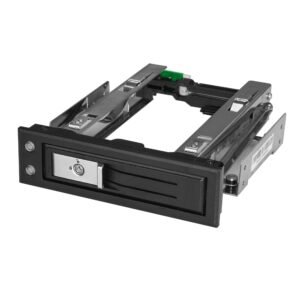
5.25 to 3.5 Hard Drive Hot Swap Bay - For 3.5" SATA/SAS Drives - Trayless
$24.99 Add to cart