

6-Slot Thunderbolt 3 SD Card Reader - Portable
$191.99
Multi-Card Reader | SD™, SDHC™, SDXC™ | TAA Compliant | SD 4.0, UHS-II
Specifications & Compliance
- UPC
- 065030874557
- Brand
- StarTech.com
- Included in Package
- 1 - SD Card Reader, 1 - Quick-Start Guide
- Shipping (Package) Weight
- 9.1 oz [258 g]
- Weight of Product
- 5.3 oz [151.0 g]
- Product Length
- 5.3 in [13.5 cm]
- Product Width
- 3.2 in [82.0 mm]
- Product Height
- 0.7 in [19.0 mm]
- Package Depth
- 5.7 in [14.5 cm]
- Package Width
- 8.3 in [21 cm]
- Package Height
- 1.6 in [40 mm]
- Color
- Silver & Black
- Cable Length
- 8.7 in [22 cm]
- Warranty
- 2 Years
- Connector 1
- SD Card Slot
- Connector 1 (Quantity)
- 6
- Package Quantity
- 1
- Connector 2
- SD Card Slot
- Connector 2 (Quantity)
- 6
- Operating Temperature
- 0°C to 60°C (32°F to 140°F)
- Storage Temperature
- -20°C to 60°C (-4°F to 140°F)
- Humidity
- 0~90% RH
- Material
- Plastic
- Maximum Data Transfer Rate
- 5Gbps
- Power Source
- Bus Powered
- Chipset ID
- Intel - JHL6240<br> Texas Instruments - TPS65983<br> Genesys Logic - GL3226<br> ASMedia - ASM1061
- Special Notes
- Use the Thunderbolt 3 port on your host computer with the highest power output for the best performance. To ensure proper operations of this device a Thunderbolt 3 15W port is required. Consult the manufacturer of your host computer for details regarding the power specifications of your Thunderbolt 3 ports.
- LED Indicators
- 6 - Activity
- Interface
- Thunderbolt 3
- Type and Rate
- Thunderbolt 3 (40Gbps)
- Host Connector 1
- USB-C (Thunderbolt 40Gbps)
- Host Connector 1 (Quantity)
- 1
- SATA Type and Rate
- UHS-II (SD 4.0; 312MB/s)
- Form Factor
- Compact
- Memory Media Type
- SDXC (Secure Digital eXtended Capacity), SDHC (Secure Digital High Capacity), SD/MMC (Secure Digital/Multimedia Card)
Questions & Answers
Can I use a Thunderbolt 3, Thunderbolt 4, or Thunderbolt 5 device on a USB-C or USB4 port?
No, a Thunderbolt 3, Thunderbolt 4, or Thunderbolt 5 device requires a Thunderbolt-enabled port and will not work on a USB-C port that does not support Thunderbolt. Explanation: Thunderbolt 3, Thunderbolt 4, and Thunderbolt 5 use the USB-C connector, but they require Thunderbolt protocol support from the host port, cable, and device. Compatibility rules are as follows: A Thunderbolt device (Thunderbolt 3, 4, or 5) only works when connected to a Thunderbolt-enabled USB-C port. A standard USB-C port without Thunderbolt support does not support Thunderbolt devices and will result in no functionality. USB-C devices are compatible with Thunderbolt 3, Thunderbolt 4, and Thunderbolt 5 ports because Thunderbolt includes USB support. USB4 ports may support Thunderbolt 3 devices, but this support is optional and not guaranteed. USB4 does not ensure compatibility with Thunderbolt 4 or Thunderbolt 5 devices. To confirm compatibility, look for the Thunderbolt symbol on the host port, cable, and device. If the Thunderbolt symbol is not present, the connection supports USB-C only and does not support Thunderbolt devices. All components in the connection must support the required Thunderbolt standard to ensure proper operation and full performance.
Related products
-

USB-C CFexpress Type B Card Reader, USB 10Gbps, Portable Memory Card Reader, USB Type-C to CF Express 2.0 Adapter, Works with Any Operating System
$32.79 Add to cart -
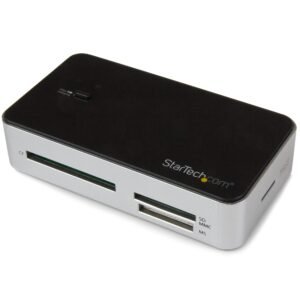
USB 3.0 Multi Media Flash Memory Card Reader with 2-Port USB 3.0 Hub & USB Fast Charge Port
$61.99 Add to cart -
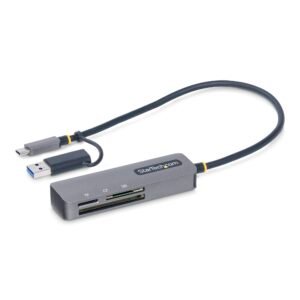
USB 3.0 Multi-Media Memory Card Reader, SD/microSD/CompactFlash Card Reader, Portable USB 5Gbps Card Adapter, External USB-C Card Reader with Attached USB-A Adapter - Works with Any Operating System
$28.69 Add to cart -
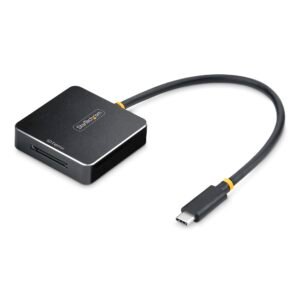
USB-C SD Express Card Reader, USB 10Gbps, Portable Memory Card Reader, USB Type-C to Secure Digital 7.1 Adapter, Works with Any Operating System
$65.59 Add to cart